Top 7 Automation Use Cases for LSPs: From Quote to Delivery
Let's be honest: you're doing way too much manual work.
You're copying information from emails into spreadsheets. You're manually assigning translators to projects. You're sending the same status updates over and over. You're creating invoices by hand. You're chasing down files and confirmations, and approvals.
None of this is strategic work. None of it requires your expertise. And all of it is eating time you could spend growing your business.
Here's the good news: most of what you're doing manually can be automated. And we're not talking about complex, expensive enterprise software. We're talking about practical automations that save you hours every week.
Let's walk through the seven biggest automation opportunities for LSPs, from quote to delivery and beyond.
1. Quote Generation and Approval
The manual pain: Client emails asking for a quote. You calculate word count, check translator availability, look up rates, create a quote document, email it back, wait for approval, then manually update your tracking system.
Time sink: 20-30 minutes per quote. Multiply by dozens of quotes per month.
The automation opportunity:
Set up systems where clients submit project details through a form (or you can quickly input them). The system automatically:
- Counts words from uploaded files
- Calculates pricing based on your rate tables and complexity
- Generates a professional quote document
- Emails it to the client
- Tracks quote status (sent, viewed, approved, declined)
- Creates the project automatically when approved
What this saves: 15-20 minutes per quote. If you're doing 50 quotes a month, that's 12-16 hours saved.
Implementation: Most modern LSP management platforms (like Awtomated) include automated quoting workflows. Even without specialized software, you can build basic automation using Google Forms + Zapier + Google Docs templates.
The key: Your rate structure needs to be clear and consistent for automation to work. If every quote requires custom negotiation, automation only gets you partway there.
2. Translator Assignment and Notification
The manual pain: Project approved, now you need to find an available translator. You check your spreadsheet, send WhatsApp messages to three people, wait for responses, assign the first one who says yes, send them the project details via email, and hope they confirm.
Time sink: 10-20 minutes per project, plus follow-up time if people don't respond.
The automation opportunity:
Build a system where:
- Translators indicate their availability in a shared calendar or portal
- The system automatically suggests qualified translators based on language pair, specialization, and availability
- One-click assignment sends automated notification with project details
- Translator accepts/declines through a link
- If declined, the system suggests the next option
- Accepted projects automatically trigger file sharing and deadline reminders
What this saves: 10-15 minutes per project assignment. For an LSP doing 100 projects monthly, that's 25+ hours.
Implementation: This requires translator portal functionality, which specialized LSP platforms provide. The investment pays for itself quickly if you're doing more than 20-30 projects monthly.
The key: You need a current, accurate database of translator availability, specializations, and rates. Garbage in, garbage out.
3. Status Updates and Client Communication
The manual pain: Client emails asking "what's the status?" You check with the translator, get an update, email the client back. Repeat five times per project.
Time sink: 5-10 minutes per update request, plus the mental overhead of constant interruptions.
The automation opportunity:
Set up automatic status updates at key milestones:
- Project started (automatic email: "Your project is now with our translator")
- Midpoint check-in for longer projects (automatic: "Your project is progressing on schedule")
- Translation completed, in review (automatic: "Translation complete, quality review in progress")
- Ready for delivery (automatic: "Your project is ready for download")
Clients can also access a portal to check status anytime without asking you.
What this saves: 5-10 minutes per status update × dozens per week = 8-10 hours weekly
Implementation: Most project management tools can send automated emails based on status changes. The trick is setting them up once and letting them run.
The key: Automated updates need to be genuinely helpful, not just noise. "Your project status changed to 'In Progress'" is useless. "Maria is now translating your 3,500-word document, on track for Thursday delivery" is helpful.
4. File Handling and Version Control
The manual pain: Client sends files via email. You download them, rename them properly, upload to your storage system, send them to the translator, receive translated files back, check they're the right version, rename them again, upload them, send them to the client. Files everywhere. Version chaos.
Time sink: 5-15 minutes per project, plus the risk of sending wrong versions.
The automation opportunity:
Create a system where:
- Clients upload files directly to a project portal
- Files are automatically organized by project folder with consistent naming
- Translators access files directly from the same system
- Translated files are uploaded to the same project folder
- Clients download deliverables from the portal
- All versions are tracked automatically
What this saves: 10 minutes per project + eliminated version control mistakes
Implementation: Cloud storage (Dropbox, Google Drive) with organized folder structures can work. Dedicated LSP platforms integrate file handling directly into project workflows, which is cleaner.
The key: You need a clear file naming convention and structure that everyone follows. Automation only works if the system is consistent.
5. Payment Reminders and Invoice Tracking
The manual pain: Manually creating invoices, sending them, remembering to follow up on unpaid invoices, checking if payments arrived, matching them to invoices, chasing down late payments.
Time sink: 15-30 minutes per invoice, plus the mental overhead of tracking who owes what.
The automation opportunity:
Automate the entire payment cycle:
- Invoices generated automatically when projects are marked complete
- Invoices emailed automatically to clients
- Automatic reminder emails 3 days before due date
- Automatic follow-up if payment is late (polite but firm)
- Payment confirmations sent when received
- Dashboard showing outstanding invoices at a glance
What this saves: 20 minutes per invoice + improved cash flow from faster payments
Implementation: Modern accounting software (QuickBooks, FreshBooks, Wave) can handle most of this. Better yet, use an LSP platform that generates invoices from project data automatically and integrates with your accounting system.
The key: Set up payment terms clearly upfront and enforce them consistently. Automation works when the process is standardized.
6. Translator Payments and Reporting
The manual pain: End of month, you need to figure out what each translator worked on, calculate what you owe them, create payment records, process payments, send confirmations. It takes hours and you always worry you missed something.
Time sink: 2-4 hours per month depending on how many translators you work with.
The automation opportunity:
Track translator work automatically and automate payments:
- System tracks every project each translator worked on
- Automatically calculates amounts owed based on word counts and agreed rates
- Generates payment reports for review
- One-click batch payments (if using integrated payment systems)
- Automatic payment confirmations to translators
- Tax documentation generated automatically
What this saves: 2-3 hours monthly + reduced errors
Implementation: This requires solid project tracking that captures translator assignments and calculates costs. Purpose-built LSP platforms like Awtomated track this automatically as projects progress. Alternatively, detailed project tracking in spreadsheets + accounting software can work, but requires more manual setup.
The key: Consistent rate tracking per translator and clear payment terms (monthly, per project, etc.). Automation breaks down when every translator has a different arrangement.
7. Quality Control Checklists and Review Workflows
The manual pain: You need to ensure quality on every project, but it's easy to skip steps when you're busy. Manually checking that everything was reviewed, client terminology was followed, formatting is correct. Inconsistent process leads to inconsistent quality.
Time sink: Variable, but errors that slip through cost way more than prevention.
The automation opportunity:
Build automated quality gates:
- Automatic checklist triggers when translation is submitted
- System won't let project advance until checklist items are confirmed
- Glossary compliance automatically checked (if integrated with CAT tools)
- Required review steps enforced (can't mark "delivered" until "reviewed" is complete)
- Quality issues automatically logged for future reference
- Translator quality scores automatically tracked
What this saves: Prevents costly revision cycles and maintains consistent quality standards
Implementation: This requires structured workflows with defined quality steps. Automated checklists are easy (even a simple tool like Asana works). Automated glossary checking requires integration with CAT tools or terminology management systems.
The key: You need defined quality standards and steps. You can't automate a process that's different every time based on gut feel.
The Automation That Ties It All Together
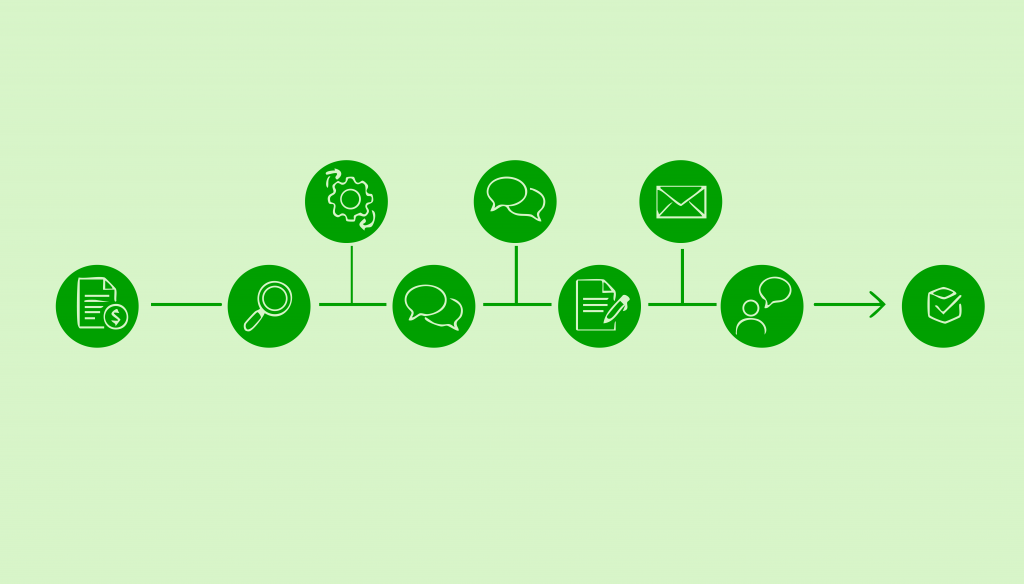
Notice how all these automations connect? The quote becomes the project. The project triggers translator assignment. Assignment triggers notifications. Status changes trigger client updates. Completion triggers invoices. Projects roll up into payment reports.
This is where choosing the right platform matters. Separate tools for each step means manual handoffs between them (which defeats the purpose). An integrated system means automation flows from quote to payment with minimal human intervention.
That's why LSP-specific platforms exist. They're built around the translation project lifecycle, so automations are designed to work together. Tools like Awtomated handle quote-to-delivery workflows specifically for language services, which means you're not trying to force general project management tools into translation-specific processes.
What Automation Doesn't Replace
Let's be clear about what you still need to do:
Strategic decisions. Automation executes processes, but you decide which clients to target, which services to offer, how to position yourself, and where to grow.
Relationship building. Automated status updates are helpful, but they don't replace genuine client relationships. You still need to check in, understand their business, and be a strategic partner.
Complex problem-solving. When a project goes sideways, automation can flag it, but you're the one who fixes it.
Quality judgment. Automated checklists help, but human judgment determines if the translation actually meets the client's needs.
Creative solutions. Clients with unique needs require creative approaches. Automation handles the routine stuff so you have time for the custom solutions.
Think of automation as handling the "operational plumbing" so you can focus on the work that actually requires your expertise and judgment.
How to Start Without Overwhelming Yourself
Don't try to automate everything at once. You'll either fail completely or create such a complicated system you can't manage it.
Start here:
Month 1: Pick one automation. Choose the biggest time sink—probably quote generation or translator assignment. Implement just that one. Get comfortable with it.
Month 2: Add one more. Once the first automation is running smoothly, add another. Maybe status updates or file handling.
Month 3: Connect the dots. Now that you have a few automations running, connect them so they flow together.
Month 4: Refine. Look at what's working, what's broken, what still requires too much manual intervention. Adjust.
This gradual approach is way more sustainable than trying to implement everything at once and getting overwhelmed.
The ROI of Automation
Let's do quick math on what this actually saves:
- Quote generation: 12 hours/month
- Translator assignment: 25 hours/month
- Status updates: 32 hours/month
- File handling: 8 hours/month
- Invoice tracking: 5 hours/month
- Payment processing: 3 hours/month
Total: 85 hours per month saved on an LSP doing 100 projects monthly.
If your time is worth $50/hour (and it should be worth more), that's $4,250 monthly, or $51,000 annually in reclaimed time.
Even a basic automation setup costs way less than that. And that's just the time savings—it doesn't count improved cash flow from faster invoicing, better client experience from proactive updates, or reduced errors from consistent processes.
The Bottom Line
You didn't start an LSP to spend your days copying data between systems and sending the same email for the hundredth time.
Automation isn't about replacing humans with robots. It's about eliminating repetitive tasks so you can focus on the work that actually requires human judgment, creativity, and relationship skills.
Start small. Pick one or two automation opportunities from this list. Implement them well. Then gradually expand.
The LSPs that scale successfully aren't the ones working the most hours. They're the ones who figured out how to let technology handle the routine work while they focus on strategy, relationships, and growth.
Stop doing work that a computer can do. Start building the business only you can build.
Table of Contents
- 2. Translator Assignment and Notification
- 5. Payment Reminders and Invoice Tracking
- 6. Translator Payments and Reporting
- 7. Quality Control Checklists and Review Workflows
- The Automation That Ties It All Together
- What Automation Doesn't Replace
- How to Start Without Overwhelming Yourself
- The ROI of Automation
- The Bottom Line
Ready to manage your Translation company easily?
Get Started for Free