CAT Tools vs. TMS: What’s the Difference and Which One Does Your LSP Really Need?
Let's talk about the conversation that happens in every LSP owner group at least once a week:
"Should I get a CAT tool or a TMS? What's the difference? Do I need both? Why is everyone talking about these like they're different things?"
Here's the confusion: people use these terms interchangeably, vendors blur the lines in their marketing, and nobody explains what you actually need for your specific situation.
Let's cut through the noise and talk about what these tools actually do, how they're different, and which one your LSP genuinely needs (spoiler: it depends on what you're actually doing).
What's a CAT Tool, Really?
CAT stands for Computer-Assisted Translation (not Computer-Automated Translation, which would be machine translation). It's software that helps human translators work faster and more consistently.
Think of a CAT tool as a translator's workspace. It breaks down documents into segments (usually sentences), displays source and target text side-by-side, and stores previously translated segments in a translation memory so you never translate the same sentence twice.
What CAT tools do:
- Segment text for easier translation
- Store and reuse translation memories (TM)
- Manage terminology databases
- Provide machine translation suggestions
- Handle file formats (preserve formatting from source)
- Offer quality assurance checks (consistency, terminology, tags)
Popular CAT tools: SDL Trados, memoQ, Wordfast, Memsource, Smartcat, MateCat.
Who needs CAT tools? Translators. If you're personally doing translation work, you need a CAT tool. If you're managing translators who are doing the actual translation, they need CAT tools.
CAT tools are fundamentally about the translation work itself making the act of translation faster, more consistent, and more accurate.
What is a Translation Management System (TMS), Really?
TMS stands for Translation Management System. It's software for managing translation projects, not for doing the translation itself.
Think of a TMS as project management software specifically designed for the translation workflow. It handles everything around the translation: quotes, project creation, translator assignment, file handling, client communication, invoicing, and reporting.
What TMS platforms do:
- Generate quotes and manage pricing
- Create and track projects through their lifecycle
- Assign work to translators and track availability
- Manage files and versions
- Handle client and translator communication
- Track costs and generate invoices
- Provide reporting and analytics
- Manage client portals
- Integrate with CAT tools (sometimes)
Top 6 TMS platforms: Awtomated, XTRF, Plunet, Wordbee, Smartcat (which is both), Memsource/Phrase (also both).
Who needs a TMS? LSP owners and project managers. If you're running a translation business (not just doing translation yourself), you need a TMS. It's your operational backbone.
TMS platforms are fundamentally about the business workflow like managing the people, processes, and projects that make your LSP run.
The Key Difference That Clears Everything Up
Here's the simplest way to think about it:
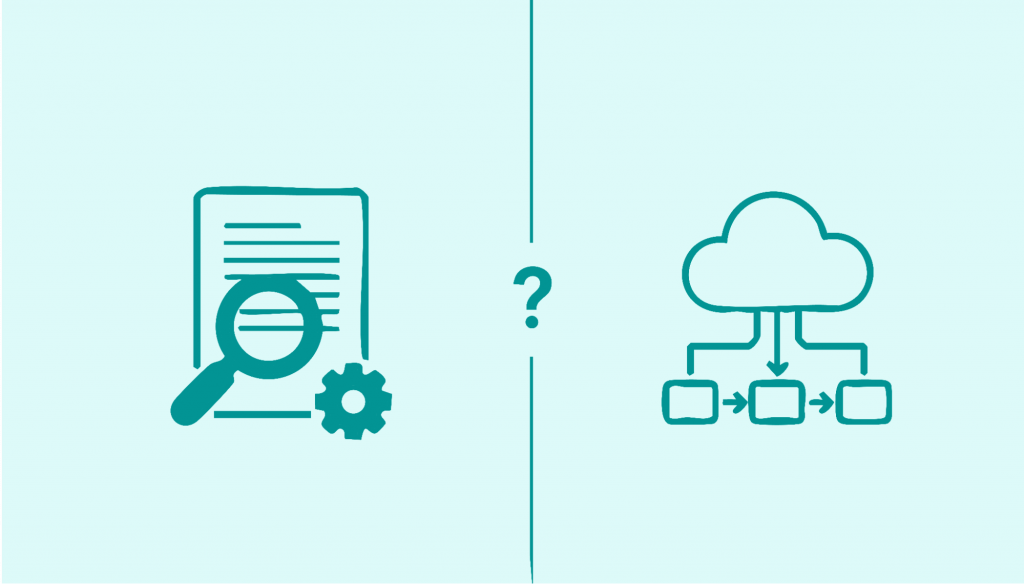
CAT tools help translators translate. TMS platforms help LSPs run their business.
CAT tools are used by the person doing translation work. TMS platforms are used by the person managing translation projects.
If you're a freelance translator, you need a CAT tool. You probably don't need a TMS.
If you're running an LSP with multiple translators, you need a TMS. Your translators also need CAT tools, but that's separate.
The confusion happens because:
- Some software does both (Smartcat, Memsource/Phrase)
- Vendors market everything as "translation management," even when they mean different things
- Small LSPs sometimes try to use just CAT tools for project management (it doesn't work well)
Why You Can't Just Use a CAT Tool to Run Your LSP
Here's a mistake new LSP owners make: they think that because their CAT tool has "project management" features, they can use it to run their business.
CAT tools weren't built for business management. They were built for translation work. Using a CAT tool to manage your LSP is like using Word to manage your finances because it can make tables. Technically possible, but painful and limiting.
What CAT tools don't handle well:
- Client relationship management across multiple projects
- Complex pricing structures (volume discounts, rush fees, per-client rates)
- Financial tracking beyond basic project costs
- Translator availability and capacity planning
- Multi-project workflows for enterprise clients
- Client portals for order submission and status checking
- Comprehensive reporting across your entire business
- Invoice generation and payment tracking
Some CAT tools have added these features over time, which is where the line gets blurry. But they're fundamentally still built around the translation process, not business operations.
Why You Can't Just Use a TMS Without CAT Tools
On the flip side, some LSP owners think if they have a TMS, they don't need to worry about CAT tools. Also wrong.
Your TMS manages the projects, but your translators still need to do the actual translation work somewhere. That's where CAT tools come in.
Most modern TMS platforms integrate with popular CAT tools, so the workflow looks like this:
- TMS assigns project to translator
- Translator opens the files in their CAT tool
- Translator does the translation work using CAT tool features (TM, terminology, QA)
- Translator delivers files back through TMS
- TMS handles delivery to client and invoicing
The TMS orchestrates the workflow. The CAT tool enables the translation work. They serve different functions.
The "All-in-One" Solutions
Here's where it gets interesting: some platforms try to do both.
Smartcat, Memsource/Phrase, Wordbee, MateCat are examples of platforms that combine TMS functionality with integrated CAT environments. Your translators work directly in their platform, and you manage projects in the same system.
Pros of all-in-one platforms:
- Everything in one place (no integration headaches)
- Translators don't need separate CAT tool licenses
- Seamless workflow from project creation to delivery
- Easier to track everything in one system
- Often more affordable than separate tools
Cons of all-in-one platforms:
- Translators may prefer their existing CAT tools (learning curve resistance)
- CAT functionality might not be as robust as dedicated tools
- You're locked into one ecosystem
- If the platform goes down, everything stops
- Less flexibility to choose best-of-breed tools
This works brilliantly for some LSPs and feels limiting for others. It really depends on your situation.
Streamlining Workflows
For language service providers and enterprise businesses, efficient project management is key to delivering high-quality localized content on time and within budget. A TMS takes the headache out of manual tasks by automating project management, vendor management, and client communication. Project managers can focus on strategic decisions instead of chasing files or tracking emails. By integrating seamlessly with existing CAT tools, a TMS enhances the translation process, reducing manual effort and boosting productivity. Real-time progress tracking ensures everyone stays informed, while automated notifications keep clients and vendors in the loop. The result? Consistent quality, faster turnaround times, and lower costs so your team can deliver more translation projects to global markets without sacrificing quality.
What Your LSP Actually Needs (Decision Framework)
Let's get practical. Here's how to figure out what you need:
If you're a solo translator who occasionally subcontracts work:
- You need: A good CAT tool for your own work. Maybe basic project management software (even Trello or Asana) for the rare subcontracted projects.
- You don't need: A full TMS. It's overkill and expensive for occasional project management.
If you're running a small LSP (1-3 PMs, 10-30 regular translators):
- You need: A TMS for project management, quoting, invoicing, and workflow. Your translators need CAT tools.
- Consider: All-in-one platforms like Smartcat or Memsource/Phrase. They give you TMS functionality while providing CAT environments for translators. This is often the sweet spot for smaller LSPs.
Alternatively, a dedicated LSP management platform like Awtomated that handles your business operations while integrating with whatever CAT tools your translators already use.
If you're running a medium LSP (5+ PMs, 50+ translators, multiple language pairs):
- You need: A robust TMS that can handle complex workflows, multi-client management, detailed reporting, and financial tracking. Your translators need CAT tools (they probably already have preferences).
- Consider: Dedicated TMS platforms like Awtomated XTRF or Plunet. These are built specifically for LSP operations at scale. Let translators use their preferred CAT tools and integrate when possible.
Awtomated, in particular, is designed for translation companies and corporate translation departments, offering an ERP-like architecture that supports high-volume growth without proportional increases in overhead. Built on a SaaS model, Awtomated provides financial stability and flexibility, allowing organizations to add storage or users on demand without hardware upgrades. Its cloud-based solution enables rapid deployment of new functionalities and easy access for distributed teams, supporting growth as LSPs expand into new markets.
Awtomated automates the entire translation cycle from quote to invoice, reducing manual bottlenecks and supporting scalability. It integrates with industry-standard CAT tools and other systems via API connections, allowing LSPs to build a cohesive tech stack. Awtomated's automation can reduce operational costs by up to 70% and improve productivity by 4x for some users. It offers extensive automation tools for quotes, project creation, task routing, and invoicing, and is trusted by leading LSPs worldwide.
Additionally, Awtomated provides advanced vendor management tools, enables project managers to make data-driven decisions with large vendor bases, and simplifies vendor management by tracking freelancer performance and skills. Financial processes, including billing and quotes, can be fully automated. Real-time dashboards and the Business Barometer tool help clients monitor project capacity, progress, and business trends. As a single-tenant application, Awtomated ensures data security and separation between clients.
If you're running an enterprise LSP (corporate clients, high-volume, complex SLAs):
- You need: Enterprise-grade TMS with APIs, integrations, security certifications, and robust reporting. Your translators need professional CAT tools. You might also need terminology management systems, quality management tools, and more.
- Consider: Enterprise TMS platforms with proven scalability. You're looking for reliability, security, and the ability to customize to your specific workflows.
The Integration Question
If you're using separate CAT tools and TMS, integration matters a lot.
Seamless integration means:
- TMS can create jobs directly in the CAT tool
- Translation memories and glossaries sync automatically
- Translators don't manually download/upload files
- Word counts and progress sync in real-time
- Cost calculations happen automatically based on TM leverage
Poor or no integration means:
- Manual file transfers (error-prone and time-consuming)
- Disconnected systems requiring data entry in multiple places
- No visibility into translation progress until delivery
- More opportunities for version control issues
Before choosing a TMS, check what CAT tool integrations it offers and whether your translators use compatible tools.
The Cost Reality
Let’s talk about what this actually costs, because that’s what everyone really wants to know.
CAT Tools:
- Entry-level: Free (MateCat, OmegaT) to $40-100/month (Smartcat, Memsource)
- Professional: $500-800/year per license (Trados, memoQ)
- Enterprise: $1,000-3,000+ per year per license
TMS Platforms:
- Small LSP plans: $100-500/month
- Medium LSP plans: $500-2,000/month
- Enterprise: $2,000-10,000+/month (depending on volume and features)
Automating financial processes in a TMS, such as billing and quoting, helps maintain predictable cash flow and reduces manual errors. Awtomated allows for the automation of these financial processes, supporting smoother financial operations for growing LSPs.
All-in-one platforms:
- Often usage-based pricing: pay per word/character processed
- Can be cheaper for smaller volumes, more expensive as you scale
- Usually includes CAT functionality in the price
The total technology investment for an LSP typically ranges from $3,000-50,000 annually, depending on size. That sounds like a lot, but remember: the right tools save you more than they cost through improved efficiency, reduced errors, and better capacity management.
Red Flags When Choosing
Whether you're shopping for CAT tools or TMS, watch for these warning signs:
Vendor calls everything "AI-powered." AI has legitimate uses in translation technology, but if every feature is marketed as AI, they're probably overselling.
No clear pricing. "Contact us for a quote" often means enterprise pricing even if you're not enterprise-sized. Transparency matters.
Vague integration claims. "Integrates with major CAT tools" should mean specific tools, with documentation. Vague claims often mean poor integration.
Trying to upsell you into features you don't need. If you're a 5-person LSP and they're pushing enterprise features, that's a mismatch.
No trial or demo. Reputable platforms let you try before buying. If they won't show you the actual interface, be skeptical.
Their main clients are way bigger or smaller than you. Tools built for enterprise LSPs often feel like overkill for smaller operations, and vice versa.
The "Do I Really Need This?" Test
- Before you invest in any translation technology, ask yourself:
- What specific problem am I trying to solve? "I need better tools" is not a problem. "I'm spending 10 hours a week manually creating quotes" is a problem.
- Will this tool actually solve that problem? Look at the features that matter to you, not the impressive feature list.
- Can I afford it based on the time/money it'll save? If a TMS costs $500/month but saves you 20 hours of manual work monthly, and your time is worth $50/hour, that's $1,000 in value. It pays for itself.
- Do I have the capacity to implement and learn it? The best tool in the world is useless if you don't have time to set it up and train your team.
- What happens if I do nothing? Sometimes the answer is "I keep running my business basically fine." That's okay. Not every problem requires a software solution right now.
Starting Simple and Scaling Up
You don't need to buy everything at once. Here's a reasonable progression:
Phase 1 (Solo/small): Translators use CAT tools. You manage projects with basic tools (spreadsheets, email, simple PM software). This works until it doesn't.
Phase 2 (Growing): You hit the pain point where manual management is breaking down. Time to invest in a proper TMS or all-in-one platform. Choose based on your specific needs and budget.
Phase 3 (Scaling): As you grow, you might need more robust tools, better integrations, more advanced features. Upgrade or switch platforms based on new requirements.
Phase 4 (Enterprise): You need enterprise-grade everything like security, compliance, complex workflows, APIs, custom integrations.
Most LSPs get stuck trying to skip from Phase 1 to Phase 4, buying way more tool than they need. Or they stay in Phase 1 too long and burn out from manual work. Match your tools to your actual current phase.
Global Growth and Expansion
Expanding into new global markets requires more than just translating content. It demands a robust strategy and the right technology. A Translation Management System (TMS) is essential for companies aiming for global growth, as it streamlines translation workflows, automates manual tasks, and integrates with existing CAT tools to maximize efficiency. With a TMS, businesses can deliver high-quality localized content to diverse markets, maintain consistent quality, and reduce costs across the entire localization process. Real-time tracking and workflow automation ensure that every project stays on schedule, supporting your company’s growth and expansion goals. By leveraging a TMS, you can confidently scale your translation operations, reach new audiences, and stay ahead in the competitive global landscape.
The Bottom Line
CAT tools help translators translate. TMS platforms help LSPs run their business. They're different tools for different jobs.
If you're running an LSP, you need a TMS (or an all-in-one platform that includes TMS functionality). Your choice should be based on your size, complexity, budget, and specific pain points.
If you're doing translation work yourself, you need a CAT tool. If you're managing translators, they need CAT tools (and you need to make sure they're using them properly).
Stop letting technology decisions overwhelm you. Focus on what problems you're actually trying to solve. Then pick the simplest tool that solves those problems. You can always upgrade later.
And if you're currently running your LSP with a patchwork of spreadsheets, email, and hope? Yeah, it's time to invest in a proper TMS like Awtomated or similar. Your sanity and your business will thank you.
The right tools won't magically fix a broken business model, but they'll absolutely help a good business scale efficiently. Figure out which category you're in, choose accordingly, and get back to doing what actually matters: serving clients and growing your LSP.
Table of Contents
- What's a CAT Tool, Really?
- What is a Translation Management System (TMS), Really?
- The Key Difference That Clears Everything Up
- Why You Can't Just Use a CAT Tool to Run Your LSP
- Why You Can't Just Use a TMS Without CAT Tools
- The "All-in-One" Solutions
- Streamlining Workflows
- What Your LSP Actually Needs (Decision Framework)
- The Integration Question
- The Cost Reality
- Red Flags When Choosing
- The "Do I Really Need This?" Test
- Starting Simple and Scaling Up
- Global Growth and Expansion
- The Bottom Line
Ready to manage your Translation company easily?
Get Started for Free