Translation Management System: The Complete 2026 Guide (and Why Awtomated Goes Beyond a Classic TMS)
If your team is still juggling translation projects across email threads, shared drives, and versioned spreadsheets, you’re not alone. But you’re also working harder than you need to.
A translation management system has become essential for any company serious about reaching international markets. This guide breaks down everything you need to know about modern TMS platforms in 2026 what they do, how they work, and why choosing the right one matters for your global growth.
More importantly, we’ll show you why Awtomated isn’t just another TMS but an end-to-end localization platform that covers the entire content lifecycle, with a built-in editor and translation memory that traditional systems treat as afterthoughts.
What is a Translation Management System (TMS)?
A translation management system is a centralized, typically cloud-based platform that orchestrates translation workflows, connects distributed teams, and automates the repetitive tasks that slow down localization. Think of it as the command center for all your multilingual content whether that’s your SaaS product UI, marketing websites, help centers, or in-app messaging.
In practical terms, a TMS replaces the chaos of scattered files, manual handoffs, and version confusion with a single source of truth. It’s where your translation memories live, where project managers assign tasks, and where translators and reviewers collaborate without endless email chains.

Real-world scenarios where a TMS becomes essential
Consider these situations that are nearly impossible to handle with email and spreadsheets:
- Product launches to 10+ markets: Rolling out a new feature simultaneously across multiple languages requires coordination that manual processes simply can’t deliver
- Weekly or bi-weekly release cycles: When your engineering team ships updates every week, your localization process needs to keep pace
- High-volume content operations: Knowledge bases with thousands of articles, in-app messages, transactional emails, and marketing campaigns all need consistent translation
Understanding the tool landscape
The relationship between CAT tools, a TMS, and broader localization platforms can be confusing. Here’s how they fit together:
| Tool Type | Primary Focus | Who Uses It |
| CAT Tools | Segment-level translation editing | Individual translators |
| Traditional TMS | Project and workflow management | Project managers, localization teams |
| End-to-End Platform | Full content lifecycle + automation | Entire team across departments |
Awtomated sits in that third category. While traditional translation management systems focus primarily on managing discrete translation projects, Awtomated is built for continuous localization across your whole product lifecycle—from content creation through publishing and ongoing updates.
Translation vs. Localization: Why It Matters for Your TMS Choice
Translation and localization are often used interchangeably, but the distinction matters when you’re selecting tools and building processes.
Translation is the word-for-word transfer of meaning from one language to another. Localization goes further—adapting content to local culture, regulations, formats, and customer expectations in each target market.
Concrete examples of localization complexity
The difference becomes clear when you consider real scenarios:
- Pricing pages: EUR vs. USD formatting, local tax displays, region-specific payment methods
- Date formats: MM/DD/YYYY for US audiences vs. DD.MM.YYYY for European markets
- Regional language variants: es-MX (Mexican Spanish) vs. es-ES (Spain Spanish) have vocabulary and cultural differences that matter
- Right-to-left layouts: Arabic and Hebrew require completely different UI arrangements, not just translated text
- Plural rules: Languages like Russian, Polish, and Arabic have complex plural forms that simple string replacement can’t handle
A modern management system must support localization, not just translation. This means providing visual context, handling placeholder variables, supporting plural rules, and managing locale-specific variants.
Awtomated’s inbuilt editor and translation memory are designed specifically for this complexity. The platform handles string-based UI translation with screenshots, context notes, and character limits features that document-focused translation tools typically lack.
Companies expanding globally in 2024–2026 typically roll out localized versions for at least five to fifteen languages. At that scale, you need a system that treats each locale as a distinct market with its own requirements, not just a language to be translated.
Core Features of Modern Translation Management Systems
Every TMS vendor advertises similar feature checklists: cloud-based, translation memory, workflows, integrations. The real difference lies in how deeply and seamlessly these features are implemented.
Here are the essential categories of TMS functionality:
- Project and workflow management: Creating projects, assigning resources, tracking progress
- Linguistic tools: Translation memory, terminology management, machine translation
- Collaboration: Comments, reviews, approval workflows, stakeholder access
- Automation: Triggers, notifications, automatic job creation, QA checks
- Reporting: Progress dashboards, cost tracking, quality metrics
Awtomated includes all these standard TMS features—Editor, Translation Memory, terminology databases, and quality assurance checks—but is architected as an end-to-end localization platform rather than a standalone management module.
Cloud-native architecture and centralization
Modern translation management systems are cloud-hosted, accessible via browser, and updated continuously. This eliminates on-premise maintenance costs and ensures your entire team always works with the latest version of the platform.
The critical concept here is a single “source of truth” for all your localization assets:
- All projects and their status across languages
- Source files and translated strings in every locale
- Translation memories and term bases
- Style guides and brand voice documentation
- User permissions and vendor assignments
Awtomated centralizes both engineering-driven resources (JSON, PO, RESX, XLIFF files) and marketing content (HTML, markdown, CSV) in one platform. No more hunting through different teams’ folders to find the latest version of a file.
Integrated translation editor and Translation Memory
The inbuilt translation editor is where linguists spend most of their time. A well-designed editor provides:
- Segment-by-segment editing with side-by-side source and target views
- Inline comments and discussion threads
- Keyboard shortcuts for efficient navigation
- Real-time saving and collaboration
Translation memory is the heart of any TMS. It’s a database of previously approved translations that the system matches against new content. When a translator encounters a string like “Log in” or “Sign up” that’s been translated before, the TM suggests the approved translation automatically.
The financial impact is significant. In typical software localization projects, TM reuse delivers 20–40% cost savings over 12–18 months. Legal disclaimers, UI patterns, and product terminology that appear across your product and marketing channels only need to be translated once.
Awtomated ships with an advanced editor and translation memory by default—not as paid add-ons. TM suggestions appear in real time while translators type, alongside machine translation options, terminology hits, and QA warnings, all in the same interface to minimize context switching.
Workflow automation and project management
A TMS should let teams define standardized workflows and reuse them as templates. A typical workflow might look like:
- Machine translation (initial draft)
- Human post-editing
- Linguistic review
- In-country review
- Legal approval (for regulated content)
- Publish
Practical automation examples include:
- Automatic job creation: When new content is pushed from a CMS or code repository, translation tasks are created without manual intervention
- Auto-assignment: Jobs route to preferred translators based on language combinations, domain expertise, or availability
- Deadline calculation: The system estimates completion dates based on word counts and SLA agreements
- Status notifications: Team members receive alerts when work is ready for their step
Translation project managers should see Gantt-style timelines or Kanban boards directly in the TMS, with status per step (In translation, In review, Approved, Blocked).
Awtomated streamlines recurring release cycles by automatically detecting new or changed strings and triggering the appropriate workflow. For teams shipping weekly app releases, this eliminates the manual project setup that eats into translation project management time.
Collaboration, comments, and contextual information
Complex localization involves multiple stakeholders—product managers, engineers, marketers, legal teams, and in-country reviewers. A TMS must support structured collaboration tools that keep everyone on the same page.
Essential collaboration features include:
- In-segment comments: Translators and reviewers discuss specific strings without leaving the editor
- @mentions: Notify specific team members when input is needed
- Discussion threads: Track conversations per string over time
- Change history: See who edited what and when, with the ability to revert changes
Context is equally critical. Short strings like “Clear” can mean completely different things (a button action vs. an adjective describing visibility). Without context, translators guess—and guessing leads to errors.
Awtomated emphasizes contextual translation by supporting:
- Screenshot uploads linked to corresponding strings
- Character limits and platform indicators (iOS, Android, Web)
- Description fields explaining where and how strings appear
- Visual previews of content in context
This contextual approach dramatically reduces misunderstandings and the revision cycles they cause.
Quality assurance, terminology, and consistency
Built-in quality assurance checks catch errors before they reach production:
- Missing or malformed placeholders (like {username} or %s)
- Inconsistent terminology usage
- Strings exceeding character limits
- Untranslated segments left in source language
- Forbidden terms or outdated brand language
Terminology management deserves special attention. Consider maintaining consistency for:
- Product names that should never be translated
- Feature labels (“Premium” vs. “Pro” plans)
- Legal and compliance phrases
- Industry-specific vocabulary
For example, a fintech company might need to ensure that “wire transfer,” “beneficiary,” and “account holder” are translated identically across their app, help center, and compliance documents in all 20+ locales.
Awtomated combines rule-based quality control with TM reuse. Approved phrases are both suggested to translators and automatically validated, ensuring translation quality at scale. Catching a unit mismatch like “kg” vs. “lbs” before launch can prevent customer confusion and support tickets.
Key Benefits of Using a Translation Management System
Companies typically outgrow manual localization when they hit three to five languages or start shipping updates weekly. At that point, the coordination overhead of email, spreadsheets, and shared drives becomes unsustainable.
The business case for a TMS comes down to four outcomes:
- Faster time-to-market: Launch in new markets without localization bottlenecks
- Lower localization costs: Reduce translation spend and internal coordination time
- Better quality: Consistent terminology and fewer errors reaching customers
- Less operational stress: Free your team from manual file wrangling
Realistic improvements include reducing a 6-week translation cycle to 1–2 weeks, or cutting manual coordination time by 30–50%.
While any competent TMS brings these gains, Awtomated’s end-to-end approach amplifies them by connecting content sources, automated workflows, and publishing in one platform.
Reducing errors and risk through automation
Without a TMS, common error patterns include:
- Working from outdated file versions
- Missing language updates in fast-moving release cycles
- Copy-paste mistakes when transferring content between tools
- Inconsistent terminology across different file formats and channels
Automated synchronization and centralized storage eliminate these problems. All translators work on the same live string repository rather than static PDFs or Excel exports.
Concrete scenario: Your legal team updates a product disclaimer that appears in 18 languages. With a TMS, you update the source string once, and the system automatically routes it through your translation workflow with full tracking. Without one, you’re hunting down separate documents, emailing files to language service providers, and hoping nothing falls through the cracks.
Awtomated triggers automated checks before publishing, ensuring no untranslated or broken placeholder strings go live. This directly reduces legal and brand risk, especially critical in regulated industries like life sciences, fintech, and insurance.
Boosting productivity with real-time collaboration
Traditional localization follows a linear chain: PM prepares files → sends to translator → translator completes → sends to reviewer → reviewer approves → PM publishes. Each handoff introduces delays.
Real-time collaboration enables parallel workflows:
- Multiple translators work simultaneously on different language versions
- Reviewers leave comments that appear instantly in the editor
- Stakeholders approve content without waiting for email attachments
- The entire team sees team’s progress in a centralized dashboard
Awtomated minimizes “status update” emails by making all progress visible in one place. Project managers, engineers, and leadership can check current status without scheduling sync meetings.
Teams commonly report reducing weekly localization standup time from 60 minutes to 15 minutes after adopting a collaborative TMS that’s hours saved every month for your localization project manager and translator teams.
Scaling with integrations and continuous localization
Continuous localization means keeping translations in sync with ongoing product and content changes, rather than periodic “big batch” projects. This approach aligns with modern agile development and always-on marketing.
A TMS should integrate with your existing tech stack:
| System Type | Examples | Integration Purpose |
| Content Management Systems | WordPress, Contentful, Strapi | Sync marketing and documentation content |
| Code Repositories | GitHub, GitLab, Bitbucket | Extract UI strings from source files |
| Design Tools | Figma | Localize design assets |
| Marketing Platforms | HubSpot, Marketo | Translate campaigns and emails |
| Support Portals | Zendesk, Intercom | Localize help center articles |
APIs and webhooks allow new or updated content to flow automatically into the TMS and return finished translations to the source system without manual file handling.
Awtomated is built for continuous localization from day one. A realistic integration flow might look like this: a new feature branch in Git automatically creates a translation task in Awtomated for all supported locales. When translations are complete, they’re committed back to the repository and included in the next deployment.
Improving consistency, brand voice, and customer experience
Inconsistent translations across your website, app, and email damage brand trust. When a “Free trial” CTA is translated differently on your landing page, onboarding screens, and lifecycle emails, customers notice even if subconsciously.
Translation memories, term bases, and style guides enforce a consistent brand voice in every language. Maintaining quality across touchpoints requires all these resources to be accessible to translators and reviewers in context.
Awtomated makes approved terminology and style resources available directly inside the editor. Translators don’t need to switch between reference documents and their working environment, reducing cognitive load and improving consistency.
The business impact is measurable. Consistent localized experiences lead to higher conversion rates and reduced support tickets from confused users navigating marketing materials or product interfaces with conflicting terminology.
Saving time and localization budget
The hidden costs of manual localization add up quickly:
- PM hours spent on coordination and file preparation
- Developer time spent on export/import scripts and file handling
- Duplicate translation of similar content across channels
- Revision cycles caused by context gaps and terminology inconsistencies
Automation, TM reuse, and streamlined workflows cut both direct translation spend and internal labor costs.
Concrete example: A company localizing a 50,000-word product and help center into 8 languages can save time and tens of thousands of dollars over a year through TM leveraging and fewer revision cycles. If 40% of content has been translated before, that’s 20,000 words per language that require only review, not fresh translation.
Awtomated delivers faster ROI because it covers the full pipeline content ingestion, translation, review, and publishing. There’s less need for custom scripts or manual glue work connecting other tools.
Teams can reallocate time from operational file wrangling to market research and strategic planning once a strong translation management system is in place.
How a TMS Fits into the End-to-End Localization Workflow
Localization isn’t a single step it’s a lifecycle. Content is created, translated, reviewed, published, and then updated as products evolve. A translation management system should support every stage, connecting stakeholders across product, engineering, marketing, and legal.
Awtomated is specifically built to be the spine of this localization process, reducing friction between tools and teams at each phase.
Preparing assets and extracting content
The localization workflow begins with identifying what needs translation and extracting it into a TMS-friendly format.
Common source content includes:
- UI strings: JSON, YAML, PO, XLIFF files from your codebase
- Documentation: HTML, markdown, or DITA files from your docs platform
- Marketing content: CSV exports from marketing tools, HTML from landing pages
- Legal and sales collateral: DOCX or PDF documents
API and repository integrations can automatically detect new strings and sync them to the TMS, avoiding manual file exports. Awtomated works with modern development practices Git-based workflows, CI/CD pipelines—so engineers don’t need to change how many words they ship or restructure their toolchain.
Best practices for this phase:
- Separate translatable resources from code
- Tag content with metadata (product area, priority level, release version)
- Establish naming conventions for source files across different teams
- Define which content types require translation vs. transcreation
Setting up projects, languages, and teams
Localization managers create localization projects in the TMS for specific initiatives. A project might be scoped as “v3.2 Mobile App Release – Q2 2026” with defined target languages and deadlines.
Role configuration is essential:
- Internal linguists: Handle core product terminology and voice
- External vendors: Provide capacity for volume and specialized language combinations
- In-country reviewers: Validate cultural appropriateness and local regulations
- Stakeholders: Product managers, legal, marketing who approve specific content types
Awtomated allows reusable workflow templates, language sets, and vendor preferences. For recurring launches, you’re not rebuilding project structure from scratch each time.
The system should support both one-off projects (a major product rebrand) and ongoing, always-on localization streams (continuous app updates). Align project setup with business needs and priorities—launch in high-value markets like Germany, Japan, or Brazil before secondary locales.
Content translation and leveraging translation memory
With projects configured, translators work inside the TMS editor. The editor surfaces:
- TM matches: Previously approved translations for identical or similar segments
- Term base hits: Approved terminology that should be used consistently
- Machine translation suggestions: AI-powered initial drafts for faster starting points
- Context information: Screenshots, descriptions, character limits
TM match levels impact both speed and pricing:
| Match Level | Description | Typical Pricing |
| 100% | Exact match from TM | Often 0-30% of new word rate |
| 95-99% | Fuzzy match, minor differences | 40-60% of new word rate |
| 75-94% | Fuzzy match, moderate editing needed | 70-80% of new word rate |
| Below 75% | New translation required | Full new word rate |
Awtomated’s editor surfaces TM and MT suggestions directly in the UI. Translators focus on quality and nuance rather than retyping repetitive content. Segment-level commenting reduces the need for separate Q&A spreadsheets.
Reviewing, approving, and ensuring quality
Review happens in layers:
- Linguistic review: Language quality, grammar, fluency
- In-country review: Cultural fit, local idioms, regulatory compliance
- Functional review: UI constraints like truncation, layout in right-to-left languages
TMS tools allow reviewers to approve, reject, or suggest edits in context. Change history tracks every modification, and discussion threads capture the reasoning behind decisions.
Built-in QA checks run automatically:
- Placeholder validation
- Terminology consistency
- Length constraint checks
- Formatting verification
Awtomated makes it easy for non-linguistic stakeholders to give feedback. A product manager or legal reviewer doesn’t need specialized CAT tools knowledge—they can review and approve directly in an intuitive platform.
Catching mislocalized legal terms or incorrect date formats before sign-off prevents costly post-launch fixes and protects your brand in international markets.
Publishing and maintaining localized content
Finalized translations return to source systems through:
- Direct integrations: Automatic sync back to CMS or code repository
- API calls: Programmatic updates triggered by approval status
- Export packages: Downloadable files for manual deployment (when needed)
Automated publishing flows minimize manual intervention. Translations ship as part of regular product releases without separate deployment steps.
Awtomated supports ongoing maintenance by tracking content versions. When source strings are updated, the system automatically triggers update workflows in target languages. There’s no manual diff process to identify what changed.
Example: Rolling out a pricing change across 12 languages within a single release window. The source content updates, Awtomated identifies affected strings in each locale, routes them for translation and review, and publishes approved versions—all tracked in one system.
How to Choose the Right Translation Management System

By 2026, there are dozens of TMS vendors competing for your business. The challenge isn’t finding a TMS—it’s finding the one that matches your scale, tech stack, and localization maturity.
This is a strategic decision tied to your global growth goals, not just a feature checklist comparison.
Awtomated is especially suitable for teams looking for an end-to-end localization platform that eliminates the need to stitch multiple point tools together. The following evaluation factors will help you make the right choice.
Assessing core features and future needs
Create a feature map separating “must-haves” from “nice-to-haves” based on your 12–24 month roadmap.
Must-haves for most teams:
- Translation memory and term base management
- Workflow automation and assignment rules
- Integrations with your content management systems and repositories
- Role-based permissions and collaboration features
- Reporting and progress visibility
Nice-to-haves depending on maturity:
- Custom machine translation engines
- In-context visual preview
- Advanced analytics and quality metrics
- Multi-vendor management
Validate that features are deeply implemented, not just marketing bullet points. Ask vendors to demonstrate how the TMS handles your specific content mix—software UI, documentation, marketing materials, legal documents.
Awtomated is optimized for continuous product and marketing localization, with its built-in editor and TM covering the most common and demanding use cases for growing companies.
Evaluating usability and onboarding
The most powerful TMS fails if translators, reviewers, and PMs find it confusing. Test how quickly new users can perform core tasks:
- Accept a translation job
- Complete segment translation with TM suggestions
- Leave comments for reviewers
- Run QA checks
- Mark segments as approved
Non-technical stakeholders—marketing managers reviewing campaigns, legal teams approving disclaimers—use the tool occasionally. They need an intuitive interface that doesn’t require training sessions.
Awtomated prioritizes a clean, modern interface that minimizes onboarding time. Ask vendors for concrete training timelines based on your company size and team roles. How many hours until a new translator is productive?
Checking integrations, APIs, and technical fit
Map your existing stack and verify integration support:
- CMS: Does the TMS offer native connectors or require custom development?
- Code hosting: Can it sync with your Git workflow?
- SSO and provisioning: Essential for larger enterprises with IT governance requirements
- Webhooks: For triggering external workflows when translation status changes
A robust, well-documented API is essential for custom workflows. Awtomated is designed to plug into modern product and content pipelines with flexible API options and seamless integration with CI/CD workflows.
Consider deployment timelines. How many words of documentation will your engineering team need to read? How much internal development effort is required to connect existing systems?
Considering scalability, security, and support
Scalability covers both content volume (millions of words per year) and organizational complexity (multiple departments, brands, and regions operating simultaneously).
Key security aspects to evaluate:
- Data encryption in transit and at rest
- Granular access controls and audit logs
- Compliance certifications (ISO 27001, SOC 2)
- Data residency options for regulated industries
Responsive support matters, especially during the first 6–12 months of adoption. Ask about:
- SLAs for issue response and resolution
- Uptime statistics and reliability track record
- Dedicated customer success resources
- Case studies from companies at similar scale
Awtomated supports growing localization programs, from startups launching their first six languages to enterprises managing dozens of markets across their entire product portfolio.
Why Awtomated is more than just another translation management system
Awtomated is an end-to-end localization platform that includes all essential TMS components—Editor, Translation Memory, workflows—but extends beyond traditional systems by connecting the full content lifecycle in one package.
Traditional TMS tools focus primarily on managing translation tasks. They’re effective at what they do, but they often require additional tools, custom scripts, or manual processes to achieve complete localization coverage. Awtomated eliminates that patchwork approach.
End-to-end localization rather than isolated projects
Awtomated manages localization as a continuous stream—from content creation through translation, review, publishing, and subsequent updates. This isn’t just about managing discrete translation projects; it’s about embedding localization into your product and content operations.
For teams aligned with agile sprints and always-on marketing campaigns, this means:
- Localization timelines sync with development releases
- Content flows automatically from source systems to translation to publishing
- Updates in one system trigger the right workflows without manual project setup
- Every customer-facing touchpoint stays current in all supported languages
Companies shipping product updates weekly or bi-weekly—increasingly common in SaaS—benefit most from this continuous model. There’s no “localization phase” that gates your releases.
Built-in Editor and Translation Memory as first-class components
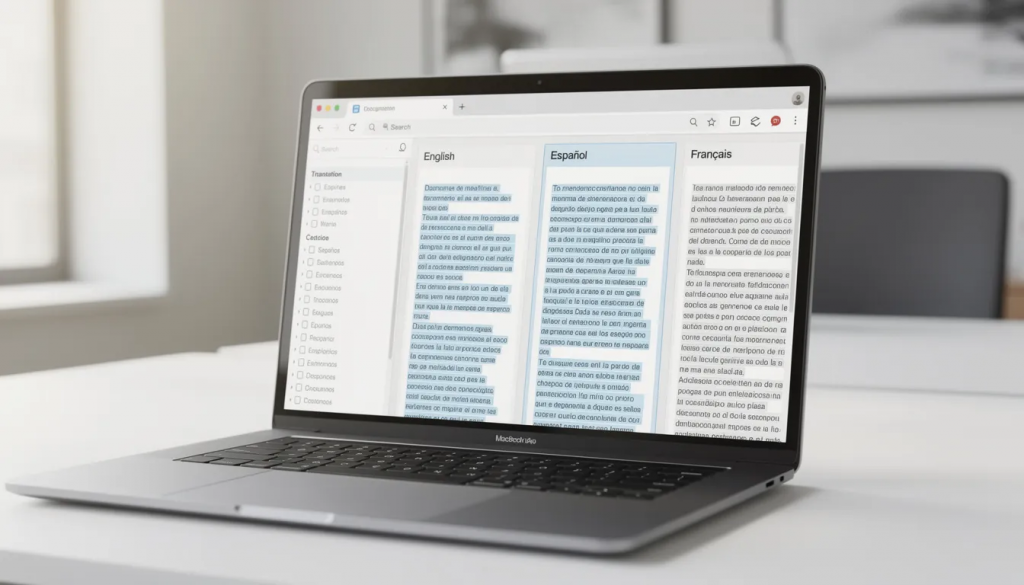
Awtomated includes a powerful inbuilt editor and translation memory out of the box. There’s no need to bolt on separate CAT tools, pay for additional modules, or manage integrations between your translation environment and project management layer.
Having editor and TM deeply integrated with workflows, QA, and integrations reduces friction:
- Translators access context, term bases, TM suggestions, and review feedback in one interface
- Project managers see real-time progress without switching tools
- QA runs automatically as part of the editing workflow
- Resources like style guides and screenshots are available where work happens
This integrated design leads to faster turnaround and more consistent translations compared to setups using multiple disconnected tools.
Practical example: A localization team onboarding new linguists typically spends hours explaining which tools to use for what, where to find resources, and how to submit completed work. With Awtomated, everything lives in one centralized platform. New team members are productive faster because there’s one system to learn, not four.
Designed for modern teams and continuous improvement
Awtomated supports cross-functional collaboration between product, engineering, marketing, and localization through intuitive dashboards and role-based views. Each team sees what’s relevant to their work without information overload.
Reporting and analytics help teams:
- Identify bottlenecks in the localization process
- Monitor performance and translation quality over time
- Track localization ROI with concrete metrics
- Allocate resources based on actual project data
The platform evolves with industry needs through regular updates—new automation rules, enhanced QA checks, additional integration options. This isn’t static software you install once; it’s a partner in scaling your localization operations.
Awtomated’s team supports best practices, onboarding, and process optimization. The goal isn’t just selling a license it’s helping your team achieve the right tools and processes for sustainable global growth.
Key Takeaways
- A translation management system is essential for companies scaling beyond manual localization processes, especially when managing multiple languages and frequent release cycles
- Modern TMS platforms centralize translation memories, terminology, workflows, and collaboration in one system to eliminate scattered files and version confusion
- Localization goes beyond translation—your TMS must handle cultural adaptation, visual context, and locale-specific requirements
- The right TMS delivers measurable ROI through TM reuse (20-40% cost savings), faster time-to-market, and reduced coordination overhead
- Integration with your existing content management systems, repositories, and tech stack is critical for continuous localization
- Awtomated is an end-to-end localization platform with built-in Editor and Translation Memory, designed to manage translation across the entire product lifecycle
Conclusion
Choosing the right translation management system is about more than comparing feature lists. It’s about finding a platform that matches your growth trajectory, integrates with your current setup, and scales as your localization needs evolve.
The companies succeeding in international markets aren’t just translating content—they’re building localization into their product and content operations as a continuous process. That requires more than a basic TMS that manages isolated projects.
Awtomated provides the end-to-end localization platform that modern teams need: integrated editor and translation memory, automated workflows, seamless integrations, and the collaboration tools that keep your entire team aligned across all your target markets. Ready to see how Awtomated handles your specific localization challenges? Book a demo to explore the platform with your own content, tech stack, and language combinations. Your global customers are waiting.
Table of Contents
- What is a Translation Management System (TMS)?
- Translation vs. Localization: Why It Matters for Your TMS Choice
- Core Features of Modern Translation Management Systems
- Key Benefits of Using a Translation Management System
- How a TMS Fits into the End-to-End Localization Workflow
- How to Choose the Right Translation Management System
- Why Awtomated is more than just another translation management system
- Key Takeaways
- Conclusion
Ready to manage your Translation company easily?
Get Started for Free