A shared feed, not a notepad
Notes attach to the records your team works on, and stay visible to everyone who should see them.
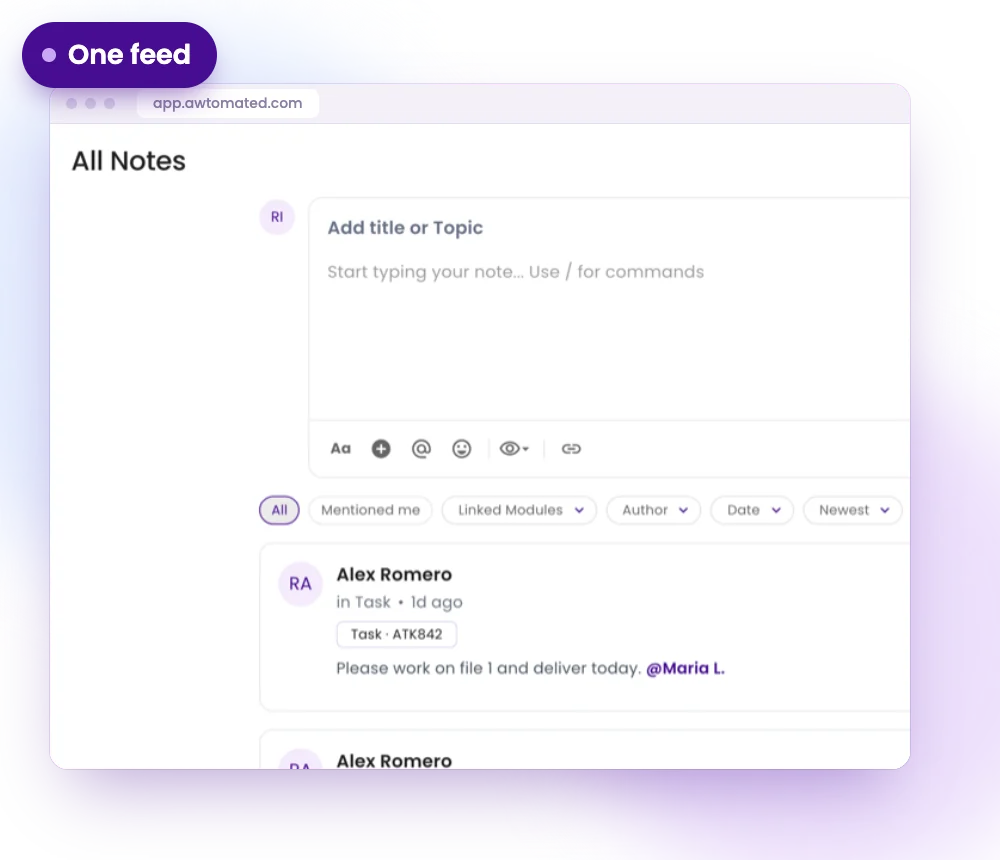
One feed for the whole workspace
Each entry shows its author, the record it belongs to and when it was written.
- Write in the composer at the top
- Select Create to post
- Every note linked to its record
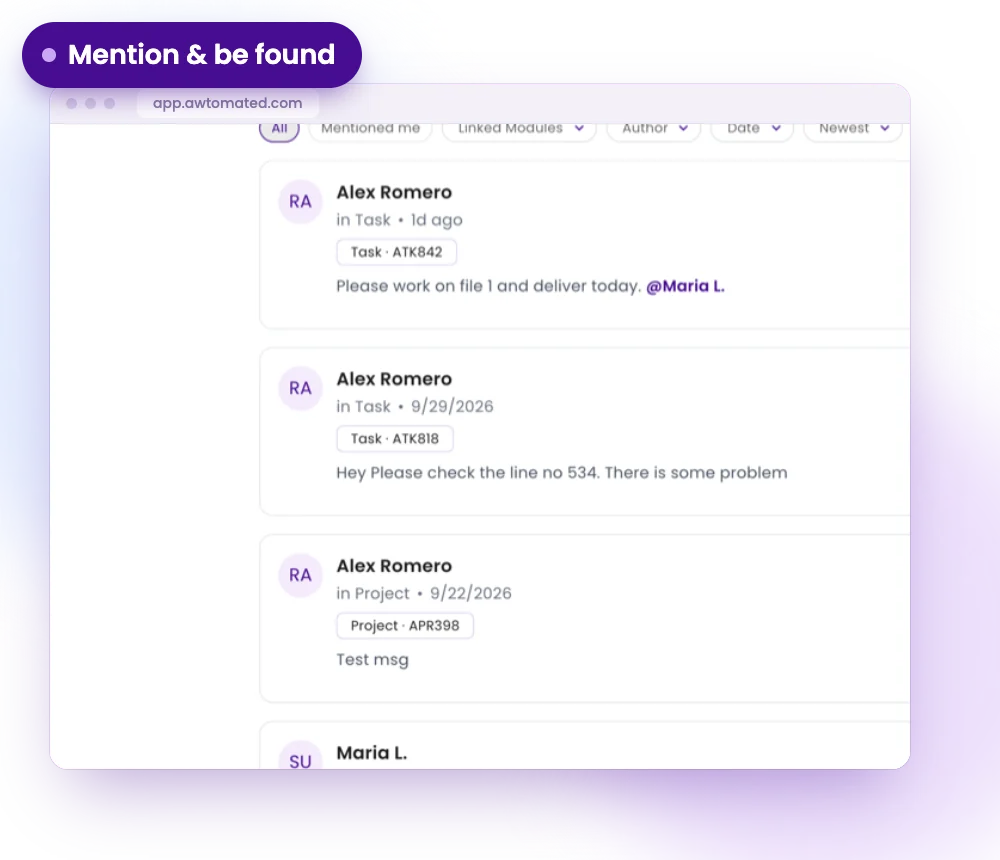
Mention and be found
Mention a colleague with @ so the note reaches them. Filter the feed to see what matters to you first.
- @mention a colleague
- Filter by Mentioned me, Linked Modules, Author or Date
- Check Mentioned me every day
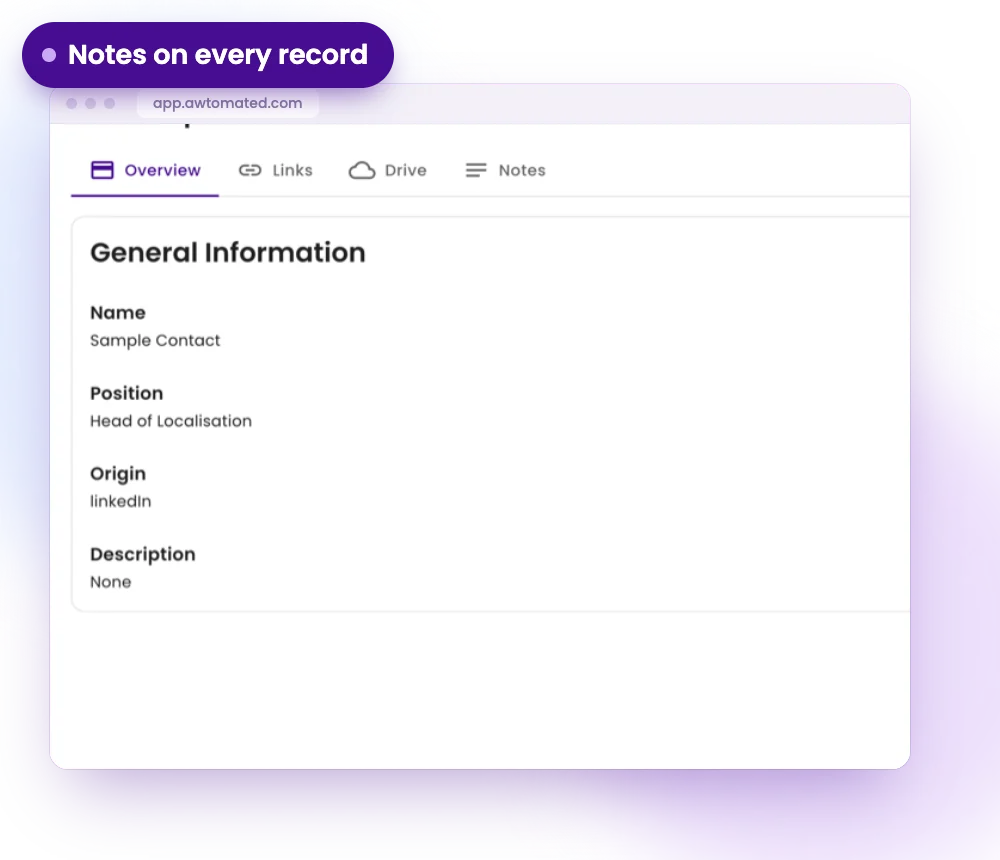
Notes on every record
A record’s own Notes tab shows only that record’s notes, next to the rest of its details.
- A Notes tab on companies, contacts, deals and vendors
- Add a Notes tab to projects and tasks
- Separate from the client and vendor portals
Notes for Every Kind of Agency
For Project Managers
Leave context on a project so anyone who picks it up knows what happened.
- Notes on projects and tasks
- @mentions for hand-overs
- History in one place
For Account Managers
Keep client context next to the company, contact and deal.
- Notes on every company and contact
- Visible to the whole team
- Never shown to the client
For Operations Leads
Follow what the team is writing across the workspace.
- One feed across modules
- Filter by author, date or module
- Spot where you were mentioned
Integrations & Compatibility
Works with your stack. No switching tools


Have a question?
We are here to answer.
Can clients or vendors see notes?
No. Notes are not visible in the client or vendor portal, so they are safe for internal commentary.
How do I make sure a colleague sees my note?
Mention them with @ so the note reaches them rather than waiting to be found.
Is there a length limit?
Yes. A note can hold up to 10,000 characters, and the composer has a formatting bar.
What is the difference between Notes in Home and Notes on a record?
The Home feed shows notes from across the workspace. A record’s own Notes tab shows only that record’s notes.
