Consistency your team can reuse
Assets holds the linguistic resources that keep output consistent, and links each one to the work it serves.
Translation memories
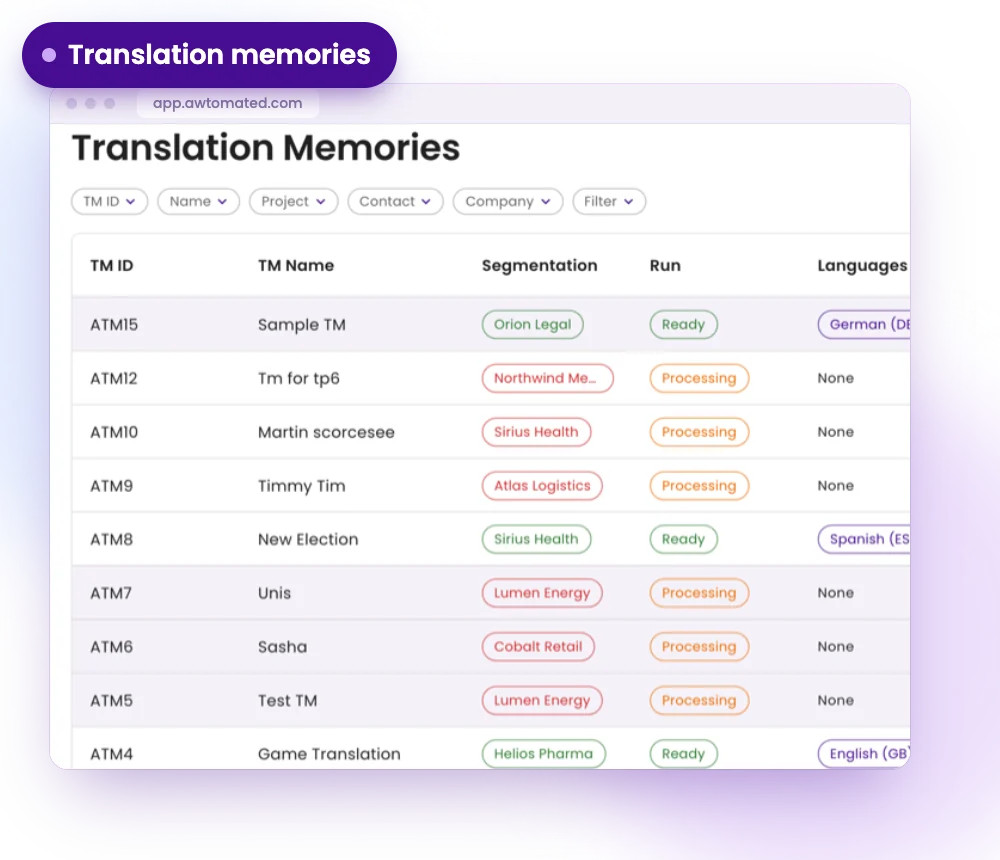
Upload a memory, name it by client and domain, and link it to the contacts, companies, deals, projects or tasks it serves. The language pair is read from the file.
- Upload an xlsx or csv file
- Classify by document type, tone and industry
- See at a glance whether a memory is ready to use
Term bases
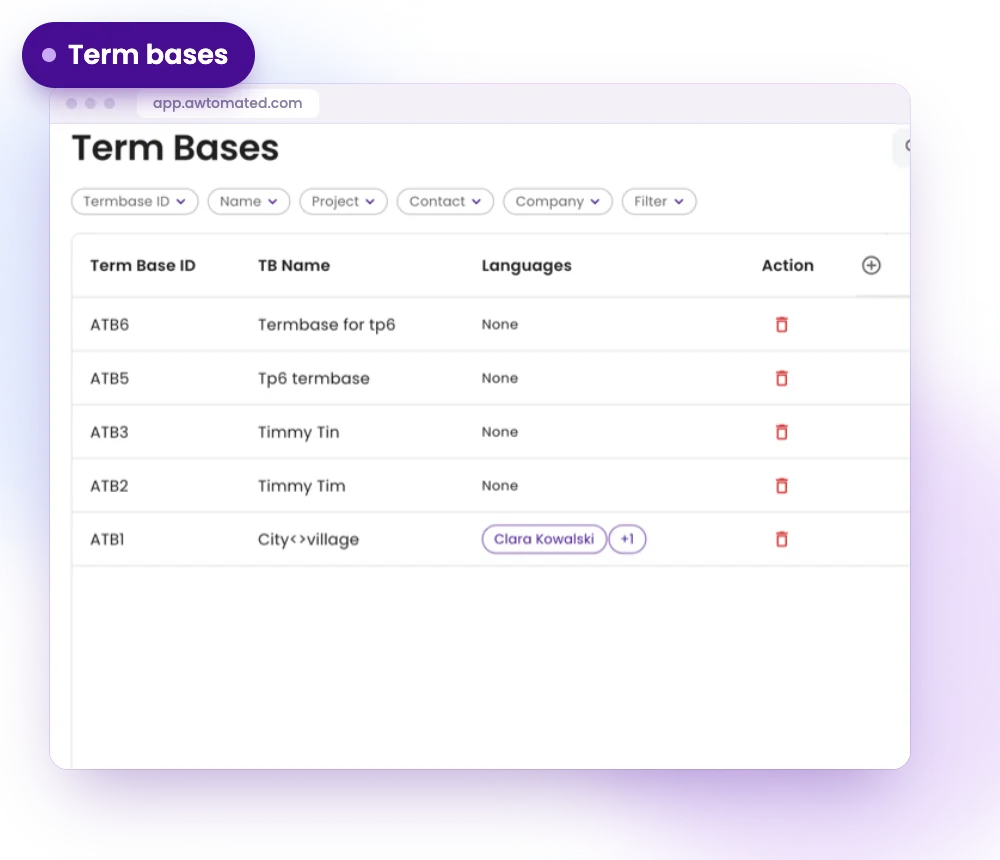
A term base is your approved terminology for a client or subject, the words that must be translated one particular way.
- Linked to clients and jobs
- One glossary per client or subject
- The right glossary reaches the right job
Placeholders
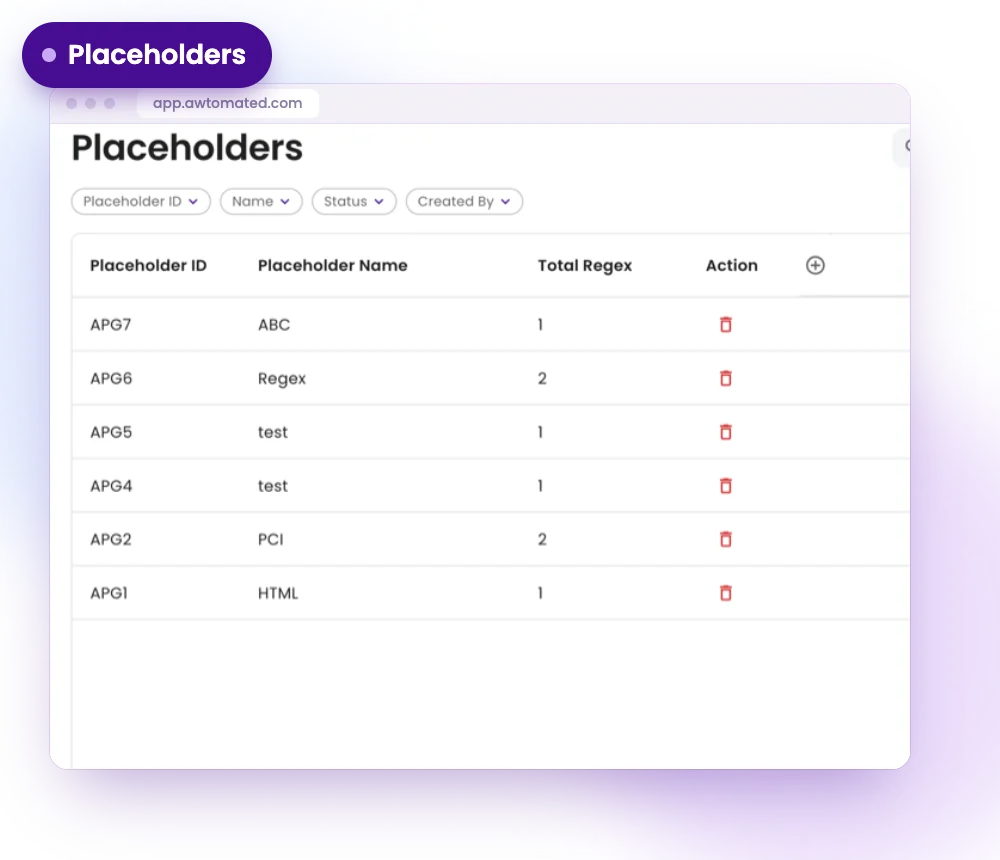
A placeholder protects content that must survive translation untouched, such as product codes, variable tokens and markup.
- One or more patterns per placeholder
- A count of the patterns each one holds
- Test a pattern on a real file before relying on it
Linked to your work
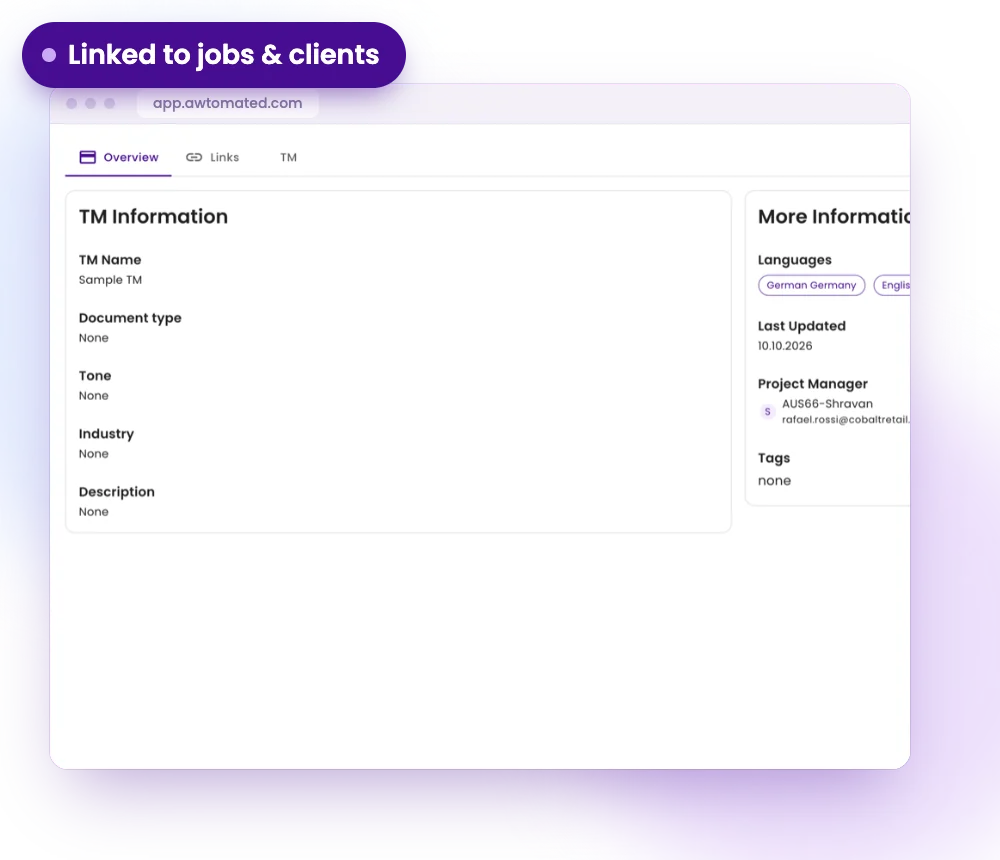
Link assets to contacts, companies, deals, projects and tasks, so the right memory and glossary are offered on the right job.
- Keep memories per client, not per project
- A client’s whole history produces more matches
- Watch the asset grow in the dashboard word count
Assets for Every Kind of Agency
For Project Managers
Offer the right memory and glossary on every job without hunting for files.
- Assets linked to projects and tasks
- Fewer inconsistent terms
- Matches found automatically
For Linguists
Work with the client’s approved terminology and protect codes from translation.
- Term bases for each client
- Placeholders for codes and markup
- Matches next to your work
For Agency Owners
Treat translated content as an asset that grows with every client.
- A memory per client over time
- Resources organised by industry and tone
- One place for every resource
Integrations & Compatibility
Works with your stack. No switching tools


Have a question?
We are here to answer.
How do I add a translation memory?
Go to Assets, select Add New, add your file (for example xlsx or csv), name the memory and link it to the work it serves. Awtomated reads the language pair from the file.
What is a placeholder?
A placeholder protects content that must not be translated, such as product codes, variable tokens and markup. It holds one or more patterns that describe what to leave alone.
Should I keep one memory per client or per project?
Per client. A memory that spans a client’s whole history produces far more matches than one built per job.
How do I know a memory uploaded correctly?
Check the Segmentation Run column. Ready means the memory is usable. Failed Processing means it holds nothing and will not produce matches.
