How to Write a Translation Quote That Wins Clients: A Template and Pricing Strategy Guide
Key Takeaways
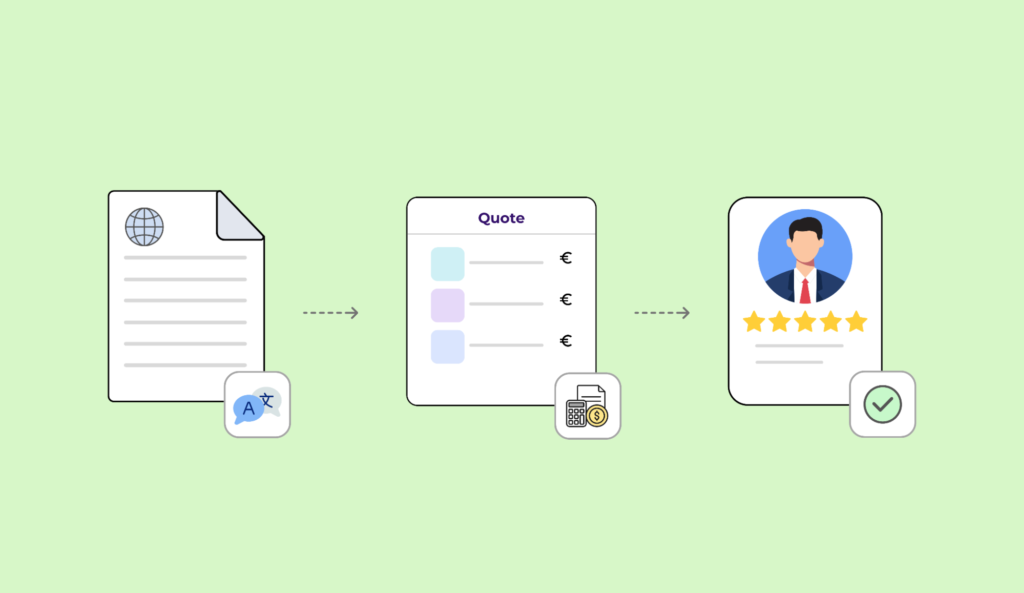
- A translation quote is both an accurate pricing document and a professional contract, but it is also a sales asset that shapes the client’s first impression.
- A strong translation quote template includes a clear project description, transparent pricing, payment terms, turnaround time, and a subtle “Why choose us” segment.
- With Awtomated, LSPs can create branded quote templates, auto-fill specific information, and send consistent quotes in minutes instead of editing Word or Excel files.
- This guide covers a ready-to-use template structure plus pricing strategy: per-word, per-hour, flat rates, minimum fees, rush fees, and DTP surcharges. For a deeper look at value-based approaches, see Awtomated’s pricing to understand the platform cost you are building into your rates.
- Awtomated helps track quote-to-win rate, average discount, response time, and lost-deal reasons so your templates become consistently successful over time. Awtomated’s client relationship management tools keep quote history, client preferences, and project data in one place.
Why Your Translation Quote Template Determines Whether You Win the Job
In 2024–2026, potential clients often compare multiple translation quotes side by side. If your quotation is unclear, slow, or visually messy, another professional LSP may win the job before your team can explain.
A quote is often the first structured document a prospect sees from your business. For a SaaS website launch in multiple languages, app localization, or a regulated medical translation project, detail matters. Buyers expect fast, accurate, personalized requests handling, and reusable quote templates are the scalable way to deliver, provided you have done the work of setting up your agency before sending your first quote. Awtomated turns that quote template into a controlled sales process, not random admin stuff.

Core Structure of a High-Converting Translation Quote Template
A professional translation quote template should define project scope, language pairs, and pricing structure in a format that is easy to scan as a PDF or online document. Translation quote templates can be downloaded and modified, but the best ones are customized to your services, clients, and processes.
Include these blocks:
| Section | Purpose |
| Header | Branding, contact details, quote metadata |
| Project Description | Scope, files, language, word count |
| Deliverables | What you will deliver |
| Pricing | Per-word, per-hour, or flat cost |
| General Terms | payment terms, revisions, cancellation |
| Approval | signature, date, accept line |
Quotes should be brief, focusing on cost and delivery time, while still giving enough details to prevent disputes. A well-structured layout prevents scope creep and sets clear client expectations. Use one or two brand colors, readable fonts, and tables. In Awtomated, you can customize templates for enterprise, agency, and direct-client workflows while keeping the same control structure.
Header: Letterhead, Contact Details, and Quote Meta Data
The header proves you are a real company. Include company branding elements like business name, logo, website, and contact details in the quote.
Add full contact information for both parties including names, addresses, emails, and tax IDs. On your side, list legal company name, address, VAT/tax ID, main contact name, role, email, and phone. On the client side, include client name and contact details, client company, division, billing email, and tax details.
Document date, quote expiration date, and a unique Quote/Reference Number are important for tracking. Also show issue date, currency, and wording such as “Valid until 04 July 2026.” Quotes should be valid for a specific period, like 30 days. Awtomated auto-populates these fields from CRM records and keeps numbering consistent through quote, project, invoice, and payment, which is exactly what connecting your quote to your invoicing workflow looks like in practice.
Project Description: Defining Scope So Everyone Knows What’s Included
Clear project descriptions prevent misunderstandings and protect against disputes. A translation quote should clearly specify project details, and you should clearly specify project details to avoid misunderstandings.
Include source language, target languages, regional variants, content type, file formats, approximate word count, and source files. Detail the source language and target languages including regional variants in the quote. Specify the exact file types/formats in the scope of work for translation services, such as DOCX, XLIFF, JSON, INDD, PDF, or scanned image files.
Use a phrase like: “Based on files provided on 04 June 2026.” Summarize workflow steps: translation, edit, proofreading, DTP, QA. Awtomated can pull language pairs, services, volume, and description fields directly into the translation quote template.
Deliverables and Service Items: Turning Scope into Tangible Outputs
Deliverables turn the description into outputs the client can understand. For example: “Localized website strings in XLF, ready-to-publish InDesign files, and bilingual QA report.”
Use clean line items:
| Item | Service | Pair | Unit | Qty | Unit price | Subtotal |
| New words | translation | EN > FR | word | 5,000 | $0.18 | $900 |
| DTP | formatting | FR | hour | 3 | $60 | $180 |
| Review | QA | FR | project | 1 | $120 | $120 |
Itemize costs cleanly in the quote including base translation rates and additional services. Include any surcharges for rush turnaround or desktop publishing in the pricing breakdown. Awtomated service catalogs let managers add common items, such as “EN > FR Marketing Translation – New Words,” in one click.

Pricing and Payment Terms That Protect Margin and Build Trust
Clients want transparent pricing: they need to know the cost, the currency, and when they pay. Quotes should include a clear price and currency, and you should state the price and currency clearly in the quote.
Translation rates in the United States generally range from $0.15 to $0.30 per word depending on complexity; broader market guides also show professional rates varying by language pair and domain, as noted in Milengo’s translation rates guide. Use per-word pricing for translation and revision, per-hour rates for engineering or consulting, and flat rates for fixed packages. For a full guide on choosing the right pricing model before you quote, see our pricing strategy guide. Itemized costs based on per-word, per-hour, or flat rates should be included in pricing breakdown.
Payment terms should be clearly outlined in the quote. Define invoicing milestones, acceptable payment methods, and standard payment windows in the quote, such as “50% upfront, 50% Net 30 from invoice date.” Define terms and conditions like payment methods and revision policy in the quote. For ongoing clients, the structure differs, see our guide on quoting retainer agreements specifically. In Awtomated, profiles such as “Enterprise 30 days” or “SMB prepayment” flow from quote to invoice.
Scope Changes, Cancellations, and Extra Costs
Even a good translation plan can change. Add a friendly note: “Changes to volume, languages, file format, delivery time, or additional work may require a revised translation quote.”
Templates should highlight turnaround time prominently. Include turnaround time prominently in the quote, plus the estimated delivery date and time in the timeline of the translation quote. Mention standard turnaround time and rush rules, such as +25–50% for 24–48 hour delivery, weekend work, or night work. Add a cancellation policy covering work already started and partial deliverables already delivered.
Marketing, Social Proof, and Why Clients Should Choose Your LSP
Translation quotes serve as marketing tools for freelancers, agencies, and LSPs. Professional presentation enhances client confidence in your services, especially when buyers are deciding who can translate sensitive content with quality.
Include a compact “Why work with us” or “About [LSP name]” block with 3–5 bullets: industry specialization, ISO 17100-aligned workflows, vetted translators, technology stack, and quality control. Including a “Why choose us” section can boost client trust. For free translation quote requests, emphasize speed, QA, and consistency across recurring translation projects. Awtomated stores reusable snippets, testimonials, and logos so every quote carries the same message.
Signature, Client Approval, and Next Steps
The approval block turns interest into a deal. End with: name, position, signature, date, and a sentence confirming the client accepts the project description, pricing, general terms, and payment terms.
Add: “To get started, please sign this quote or confirm approval by email using the quote number.” If your policy allows it, written email approval can be binding. In Awtomated, once the client accepts, the quote becomes a live project with linked tasks, translators, and invoices. Book a demo to see how Awtomated takes a quote from approval to delivery without any manual re-entry.
Building and Managing Quote Templates in Awtomated TBMS
Manual writing in Word or Excel does not scale when your team handles dozens of translation quote requests each week. Awtomated lets LSPs create fixed sections and dynamic fields: client company, language pair, word count, rate, tax, time frame, and delivery date.
Imagine this course of action: a project manager receives files, creates a job, selects services, watches Awtomated apply the right price list, reviews the presentation, and sends a branded PDF or web link in minutes. You can modify templates for legal, software, multimedia, or website localization without rebuilding the whole document.
Pricing Strategy Tips for Competitive but Profitable Translation Quotes
A good template only works if the pricing logic is sustainable. Use minimum fees for small jobs under 250 words so admin work remains profitable. Present discounts without weakening value: “Preferred partner discount,” “TM leverage discount,” or “Term base reuse discount.”
Note what is included: basic QA, glossary use, one revision round. Also note what costs extra: DTP, extra review, file recreation, urgent delivery, or new source files. Awtomated centralizes rate cards by client, language pair, and service, so project managers do not guess. That is helpful for margin, consistency, and trust.
Tracking and Improving Translation Quote Performance with Awtomated
Treat every quote as a measurable sales asset. Track quote-to-win rate, average response time, average discount, median project value, and reasons lost. This is where managing quotes and deals inside your CRM pipeline makes the most difference, a generic CRM cannot connect quote history to translation volume, language mix, or margin data.
Awtomated stores statuses such as sent, viewed, accepted, and lost. These insights show which template version, payment terms, pricing, or time frame performs best. Review dashboards quarterly, then adjust wording, validity periods, and rates. Awtomated’s finance management tools connect those accepted quotes directly to invoicing, so you never manually re-enter quote data. Small changes can move the business forward.

FAQ
How detailed should my project description be in a translation quote?
For most LSP work, 3–6 sentences are enough: languages, content type, file formats, word count, source files, and expected deliverables. Regulated work may need an appendix. The test is simple: a new project manager should understand exactly what was promised.
Can I use the same translation quote template for free translation or pro bono work?
Use a variant of the same template for free translation projects so scope, timeline, and responsibilities stay clear. The pricing section can show “0.00” or “Provided on a pro bono basis for [reason],” with minimal payment terms. Awtomated can store a “Pro bono” template.
How long should a translation quote remain valid?
A typical validity period is 15–30 days. Longer MSAs may hold rates for 6–12 months, but individual project quotes should still have expiration dates. Awtomated users can set defaults by client segment.
Do I need separate templates for different languages or markets?
The structure can stay the same, but wording may need localization for EU, US, UK, or other markets. Keep English plus your main client languages, so stakeholders can review terms comfortably. Awtomated supports multiple localized templates.
What’s the best way to send translation quotes to clients?
PDF email attachments still work, but web-based quotes are faster to approve. Always include the quote number, total price, currency, and delivery date in the email body. The most effective approach is sending quotes through your client portal, which lets clients approve online without email back-and-forth. With Awtomated, you can send branded quotes directly and track opens, approvals, and next steps.
Table of Contents
- Why Your Translation Quote Template Determines Whether You Win the Job
- Core Structure of a High-Converting Translation Quote Template
- Header: Letterhead, Contact Details, and Quote Meta Data
- Project Description: Defining Scope So Everyone Knows What’s Included
- Deliverables and Service Items: Turning Scope into Tangible Outputs
- Pricing and Payment Terms That Protect Margin and Build Trust
- Scope Changes, Cancellations, and Extra Costs
- Marketing, Social Proof, and Why Clients Should Choose Your LSP
- Signature, Client Approval, and Next Steps
- Building and Managing Quote Templates in Awtomated TBMS
- Pricing Strategy Tips for Competitive but Profitable Translation Quotes
- Tracking and Improving Translation Quote Performance with Awtomated
- FAQ
Ready to manage your Translation company easily?
Get Started for Free