Awtomated release 1.25.2
Table of Contents
A new Help menu, redesigned invoices and estimates, and quicker actions on selected rows
New
Help is one click away
There is a new Help menu in the top bar. Click the question mark and you get four options: Show me around, Knowledge Base, Change Log and Support Form. Whatever you need, you no longer have to go looking for where it lives.
Invoices and estimates, redesigned
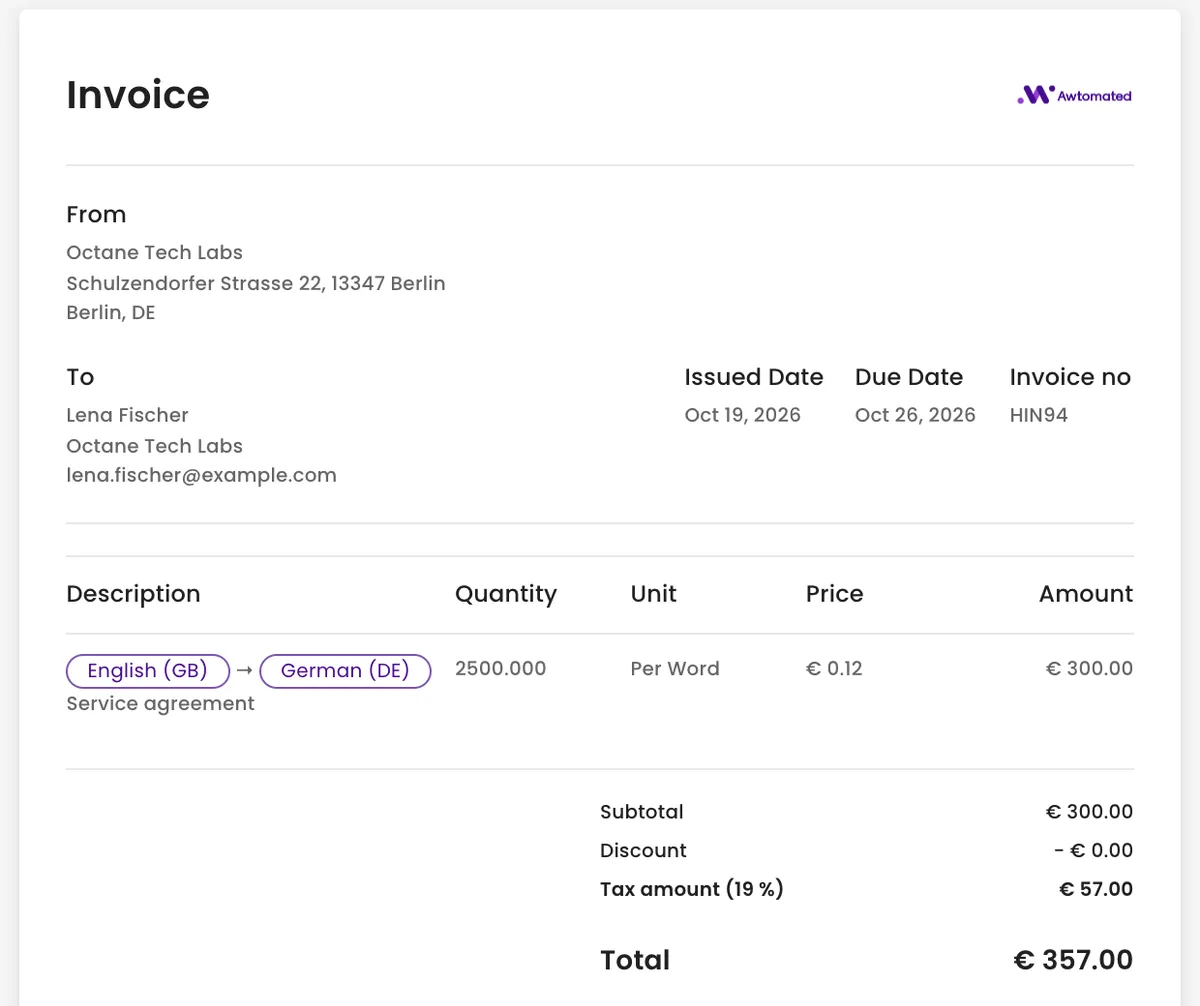
Invoices, estimates, payouts, purchase orders and transactions now download as clean A4 documents in a new design. The invoice form was redesigned as well.
You can also download an invoice straight from the invoice list in one click, without opening it first. And every organization now starts with a default discount grid, so you are not building one from scratch.
Act on a selected row right away
Tick a single row in any list and the actions for it appear in a bar at the bottom of the screen: create an invoice, an estimate or a task, delete it, or open More. You do not have to open the record first.
A cleaner start for new users
Sign-up and setup have a new design. Contact details you give in step 2 now carry over to the customer details at checkout, so you type them once.
Enhancements
Finance
- An invoice or estimate line can be saved without a language pair.
Everyday use
- User management permission labels are simpler to read.
- A failed vendor invitation now tells you why it failed.
- The verification email is now sent in the background and greets you by name.
- PDFs with a text layer can now be opened and translated in the editor.
Fixes
Across the app
- The home page no longer shows example data once you have created your own projects or tasks.
- The Preview and Expand buttons in the Create Invoice window work again.
- The tooltip in the side menu no longer overlaps.
- The subscription pop-up that appeared at login for no reason is gone.
- PowerPoint files that were not processed after upload are handled.
- Download as XLSX and Download as original now work for spreadsheet-type files in the editor.
- The deal pipeline widget shows only your own organization’s deals.
- Only members of an organization can change that organization’s settings.
- Running an automation from a project no longer shows raw backend errors.
