Awtomated release 1.25.4
Table of Contents
1.25.4
Released - Oct 27, 2026
Profit and loss on every project, and settings you can find from the search bar
New Improved Fixed
New
ProjectsFinanceCommand Center
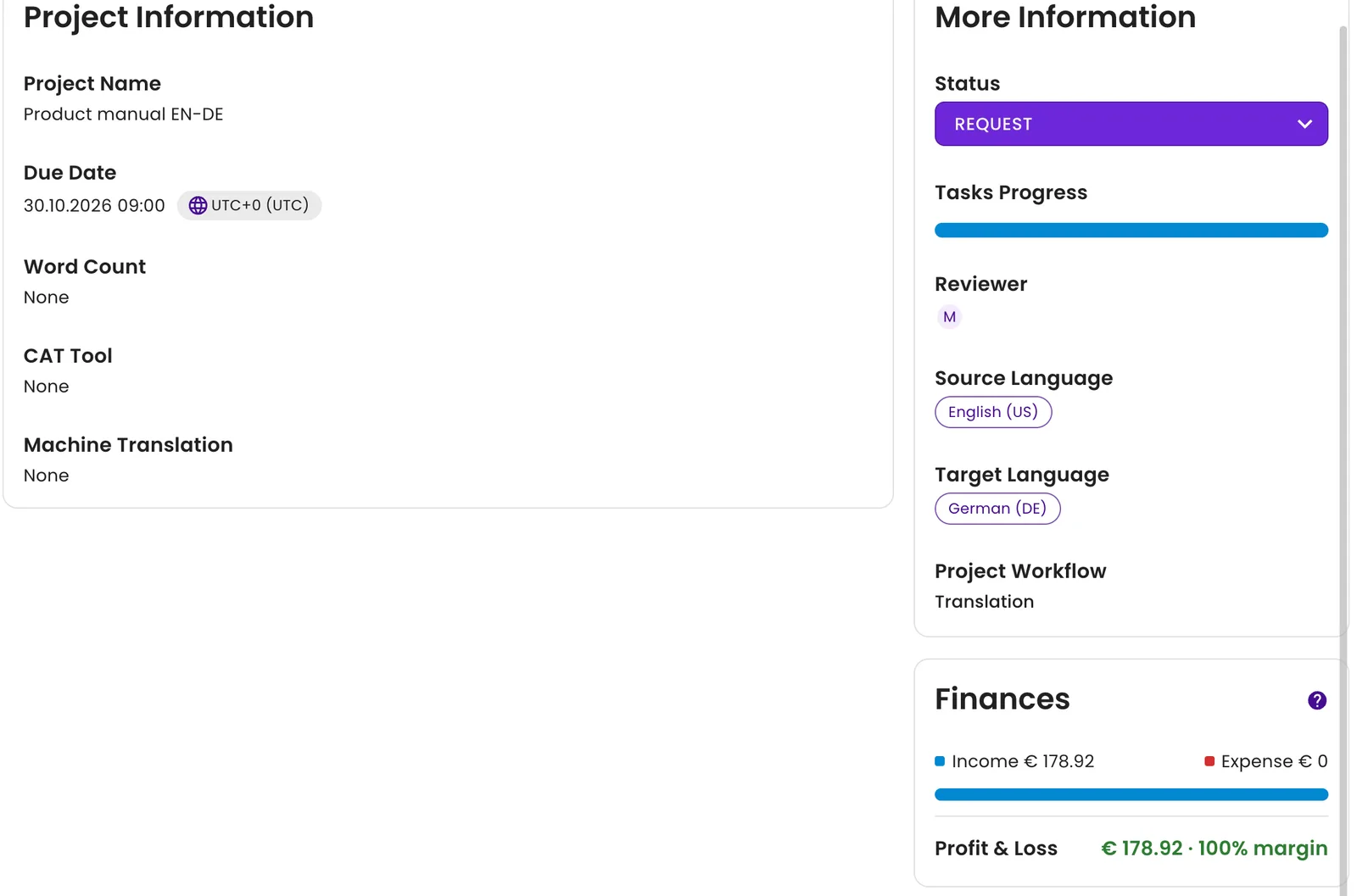
See profit and loss on every project
The Finances card on a project’s Overview now shows income, expense and profit or loss, with the margin. When you create a project, its finance lines are set up for you based on the language pairs, so the numbers are there from the start.
Pricing for clients and vendors also follows the detailed word-count breakdown and the discount grid.
Find settings from the search bar
Command Center search (Cmd/Ctrl + K) now finds settings and tabs across all modules, not just records. Type “currency” and you can jump straight to Settings, Finance or Localisation.
Enhancements
Finance
- Payout and purchase order pages show the vendor in their links.
- Vendor invoices, payouts and purchase orders download in the new PDF design.
- Exchange rates are handled more reliably in finance documents.
Activity and settings
- The Activity sections on projects and tasks now use the same change log view as vendors.
- You now get a success message after you update localization settings.
Fixes
Finance and projects
- Creating an invoice from an estimate no longer turns a fixed discount into a percentage.
- Downloading an invoice no longer fails with a 502 error.
- Your chosen display language format now applies in the Projects section.
- The Finances section on a project overview displays correctly.
