How to Migrate from Plunet or XTRF Without Losing Your Data: A Step-by-Step Checklist
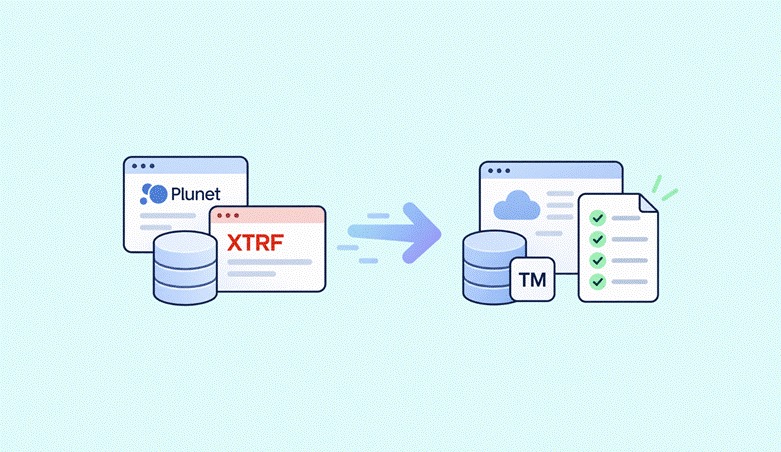
Switching your translation management system is one of those projects that feels riskier the longer you think about it. Client records, vendor profiles, translation memories, financial history, file attachments, workflow logic: all of it lives inside Plunet or XTRF, and all of it needs to arrive intact on the other side. This guide walks you through a concrete migration checklist, evaluates five alternative platforms, and assigns timelines to each phase so you can plan with confidence.
Why Translation Agencies Are Migrating from Plunet and XTRF
Plunet BusinessManager automates translation project workflows and supports project management for over 30 countries. It is certified to the EN 15038:2006-08 standard for quality management, integrates with major CAT tools like Trados and memoQ, and offers vendor portals for collaboration. Plunet version 5.4 introduced intelligent workflow automation features, and the platform allows direct access for vendors to project management tools. These are real capabilities.
So why do agencies leave?
Three patterns show up repeatedly in industry comparisons. First, cost: Plunet pricing starts around €220/month for mid-sized agencies and scales with modules and user seats. XTRF starts at €75/user/month, but real-world costs for a team with multiple PMs often land between €500 and €1,000/month. Second, complexity: both platforms were built for large-scale enterprise workflows, and agencies with five to twenty people often find themselves paying for and navigating features they never use. Third, migration anxiety itself: a translation management system often serves as the central hub for client data and accounting integrations, which makes switching feel like open-heart surgery.
The translation industry's TBMS market was valued at USD 2.16 billion in 2024 and is projected to grow at 17.2% annually. Language service providers are actively shopping for platforms that fit their current size rather than the size they might be in a decade.
This guide covers how to evaluate alternatives, what data to export, how to sequence the migration, and how to pick the right system for your team.
How We Evaluated the Best Migration Approaches
We scored migration paths on six criteria:
- Data integrity: Can you export all data types (projects, files, translation memories, vendor performance, financial history) and preserve relationships between them?
- Timeline and disruption: How many weeks does the parallel run take? Can active translation projects continue uninterrupted?
- Cost-effectiveness: Direct costs (migration fees, licensing) plus indirect costs (lost productivity, training time). Typical migration budgets range from €1,000 to €5,000 depending on data volume.
- Feature parity: The new system should match or improve on vendor assignment, client portals, financial invoicing, and CAT tool integrations. Integration reduces manual work and speeds up project delivery.
- Support quality: Does the vendor offer migration consulting, import scripts, and hands-on training?
- Scalability: Multi-currency support, AI/MT integration, compliance modules, role-based access control.
Automated workflows reduce manual work in vendor management processes, so any target platform that lacks workflow automation is a step backward.
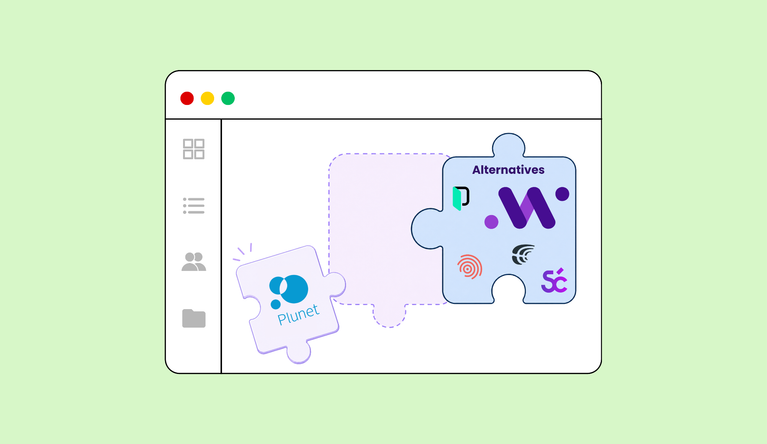
Top 5 TBMS Alternatives for Plunet and XTRF Migration
1. Awtomated
Awtomated is a cloud-based translation business management system built for growing translation agencies. It covers the full lifecycle: client requests, quoting, project and vendor/task management, file handling, invoicing, vendor payments, and real-time profitability tracking on one platform.
Why It Stands Out
Awtomated's team handles data import from spreadsheets, disconnected tools, or other TBMS platforms as part of onboarding. Many teams are fully operational within 3 to 5 days. Modules activate as needed, so you start with the essentials and expand later. You can learn more about the data import process in the FAQ.
Best For
Small-to-mid-sized agencies seeking faster onboarding, lower admin workload, and visibility into margins. For a detailed comparison, see Awtomated vs Plunet vs XTRF.
Key Strengths
- Free migration assistance and data import services
- Intuitive interface requiring minimal training; clients report reducing admin time per project by up to 85%
- Real-time profitability tracking and multi-currency invoicing
- Gross margin improvement of 31% reported by one client
Possible Limitations
- Newer platform with evolving enterprise features
- Agencies accustomed to complex legacy system workflows may need to adjust internal processes
2. Protemos
Protemos is a budget-friendly TBMS for freelancers and small translation agencies.
Why It Stands Out
Pricing runs about €75/user/month on an annual plan (€899/year per manager). A free version exists for individual translators.
Best For
Small agencies prioritizing cost over advanced features. For a side-by-side breakdown, see Protemos vs Awtomated.
Key Strengths
- Low monthly subscription costs
- Basic project management and invoicing capabilities
- Simple interface for straightforward translation workflows
Possible Limitations
- Limited advanced reporting and analytics
- Fewer integration options with CAT tools and third-party systems
- No customer portal in some plans
3. Smartcat
Smartcat combines a built-in CAT editor with project management and a translator marketplace.
Why It Stands Out
Agencies that want to consolidate their translation processes and CAT tools into one environment can reduce context-switching. MT/AI integration is available natively.
Best For
Agencies wanting combined CAT functionality and vendor sourcing in a single platform.
Key Strengths
- Built-in translation editor and marketplace for finding linguists
- AI and machine translation integration
- Data import from legacy systems possible via CSV or API
Possible Limitations
- Less comprehensive business management features (finance, profitability tracking) compared to a dedicated TBMS
- Not ideal for agencies with complex multi-currency financial workflows
4. Phrase
Phrase focuses on software localization with developer-oriented integrations.
Why It Stands Out
Strong API capabilities, version control, and collaboration features make it a flexible solution for teams working with multilingual content in code repositories and digital products.
Best For
Agencies specializing in software localization and tech clients who need tight integration with CI/CD pipelines.
Key Strengths
- Excellent API and developer tool integrations
- Automated workflow capabilities for software translation projects
- Strong version control for target language file management
Possible Limitations
- Less suitable for traditional document translation workflows
- Higher learning curve for non-technical users
- Limited invoicing and vendor payment tracking
5. Custom In-House Solutions
Building a custom TBMS gives full control over the data model, workflows, and reporting.
Why It Stands Out
Every feature maps to your exact business and production processes. No licensing fees to third-party vendors.
Best For
Large agencies with dedicated IT resources and unique workflow needs that no off-the-shelf management software addresses.
Key Strengths
- Full control over features and development roadmap
- Perfect integration with existing systems and tools
- No recurring SaaS licensing costs
Possible Limitations
- High upfront development cost and 6-to-12-month build timeline
- Ongoing maintenance, security patches, and support requirements fall on your organization
Quick Comparison of the Best Migration Targets
| Platform | Best For | Onboarding Time | Migration Support | Pricing Range |
| Awtomated | Modern features + migration support | 3-5 days | Included (free) | See pricing |
| Protemos | Budget-conscious small agencies | 1-3 days | Limited | ~€75/user/month |
| Smartcat | Integrated CAT + PM | 1-2 weeks | CSV/API import | Varies |
| Phrase | Software localization | 2-4 weeks | API-based | Varies |
| Custom | Unique enterprise needs | 6-12 months | Self-managed | High upfront |

Complete Data Migration Checklist
Phase 1: Pre-Migration Planning (2-3 weeks)
Migrating from one translation management system to another requires careful auditing of data. Start here:
- Audit your current data. Inventory client records, vendor profiles, project history, financial records, translation memories, and term bases inside Plunet or XTRF. Review existing data before exporting to a new system. Plunet automates project creation and assignment processes, which means project metadata is distributed across multiple modules.
- Classify data as active or archival. Historical financial data often needs to be archived rather than fully migrated to the new system. Separate completed projects from ongoing ones.
- Document current processes. Map every workflow: order creation, project creation, vendor assignment, quality management checks, delivery, invoicing. Plunet allows automatic generation of quotes based on project data and automates invoice generation for translation projects. Note which of these production processes you want to replicate and which you want to redesign.
- Establish a clear migration timeline. Assign dates for export, import, training, and go-live. Communicate changes to team members and customers early.
Phase 2: Data Export and Preparation (1-2 weeks)
- Export client and vendor databases. Both Plunet and XTRF support CSV/Excel export of contact information, billing details, price lists, and language combination data. XTRF's knowledge base documents configurable encoding settings and file separators for CSV exports.
- Extract project data. Pull timelines, costs, completion status, source files, and all relevant information per project. Plunet allows tracking of gross profit per project and customer; export these reports for continuity.
- Download financial records. Invoices, payments, vendor costs, credit notes. Plunet supports multi-currency billing for international clients and provides cash flow reports for receivables and payables. Export all of this before decommissioning the old system.
- Back up translation memories and term bases. Export TMs in TMX format and term bases in TBX. Users can access translation memories during project execution in Plunet through its dynamic interfaces to many leading CAT tools. Ensure these assets transfer to your new platform. For setup guidance, see Translation Memory: Benefits and Setup Guide.
- Extract via API where possible. API access can facilitate the migration of structured data by enabling programmatic data extraction. XTRF offers a REST API for reading projects, quotes, customers, and vendors. The Plunet API supports similar structured exports.
Plunet integrates with major CAT tools for streamlined workflows, and allows automatic project creation in connected CAT tools. If you rely on these, document the connection settings and supported automated price calculations for vendor payments so you can replicate them.
Phase 3: System Setup and Import (1 week)
- Configure the new TBMS. Set up company settings, currencies, user name and role permissions, and security policies. Each project manager needs access to the modules they use daily.
- Import client and vendor data. Upload CSVs, verify accuracy of contact and billing information, and check that no records were lost or duplicated. For vendor-specific setup tips, see Vendor Management for Translators.
- Upload historical data. Project archives, financial records, and translation memory files. Integrations with third-party tools need to be re-established during system migration; reconnect CAT tools, email systems, and any machine translation engines.
- Test with sample projects. Workflows may need to be redesigned to fit the structure of the new translation management system. Create test projects that mirror real new requests to verify that automated workflows, file delivery, and invoicing work correctly.
Phase 4: Training and Go-Live (1-2 weeks)
Training is crucial for ensuring all users understand the new translation management system's functionalities. User resistance can hinder a smooth transition to a new platform due to changes in familiar workflows.
- Train your team. Run hands-on sessions for each role: project managers, finance staff, new team members joining during transition. Focus on daily tasks first; advanced configuration options later.
- Testing the new system with a pilot group can help uncover potential issues before full deployment. Pick two or three active translation projects and run them end-to-end in the new system.
- Run parallel systems. Keep the old platform accessible (read-only) for 1 to 2 weeks while the new system handles all new work. This lets you cross-check data without risking gaps.
- Monitor and fix. Track progress on the first batch of live projects. Watch for missing fields, broken file links, and communication gaps with clients or vendors.
How to Choose the Right Migration Path
Choose Based on Agency Size
Small agencies (1-10 employees) benefit from platforms that reduce manual work and save time through simplicity; complex enterprise tools add overhead without proportional value. Medium agencies (10-50 employees) need balanced project management features and room to scale. Large agencies (50+ employees) require enterprise features, granular control, and deep configuration options.
Choose Based on Technical Requirements
Agencies needing tight integration with CAT tools should evaluate how each platform handles translation memory import, file routing, and automated workflows. Plunet supports dynamic interfaces to many leading CAT tools; your replacement needs to match that. Companies with compliance needs must verify security standards, data handling policies, and support for confidentiality levels per project.
Choose Based on Migration Support
Agencies with limited IT resources should prioritize vendors offering free migration assistance. Awtomated includes data migration support at no extra charge. Teams with tight timelines need providers with proven quick implementation; Awtomated's 3-to-5-day onboarding contrasts with Plunet's typical 1-to-3-month implementation period. Companies handling sensitive data for service providers in regulated industries require vendors with enterprise-grade security during migration.

Which Migration Option Is Best for You?
- Choose Awtomated if you want comprehensive migration support, real-time profitability tracking, and a system your team can learn in days, not months. Plunet offers deep automation, but Awtomated delivers a comparable feature set with lower complexity and faster onboarding.
- Choose Protemos if your primary concern is reducing costs while maintaining basic translation project management functionality.
- Choose Smartcat if you want to consolidate CAT tools and project management for your translation services in a single platform.
- Choose Phrase if your company specializes in software localization and needs developer-friendly tools to improve efficiency.
- Consider custom solutions only if your organization has dedicated IT staff and requirements no existing software addresses.
Next Steps: Start Your Migration Today
Migration from Plunet or XTRF to a modern translation management software platform is a structured project with four phases, clear deliverables, and a timeline of 5 to 8 weeks for most agencies. Data loss is preventable when you follow a systematic export, verify, import, and test process.
The longer you wait, the more translation management processes, data, and technical debt accumulate inside your current system. Every month of delay adds records that will need exporting and cleaning later.
If you want to see how Awtomated handles data migration for translation agencies moving off legacy platforms, book a free demo and walk through the process with our team. We will map your current workflows, identify what data needs to move, and get your team live on one platform within days.

Building software that helps small and medium-sized language service providers run their business.
About Rishi →Table of Contents
- Why Translation Agencies Are Migrating from Plunet and XTRF
- How We Evaluated the Best Migration Approaches
- Top 5 TBMS Alternatives for Plunet and XTRF Migration
- Quick Comparison of the Best Migration Targets
- Complete Data Migration Checklist
- How to Choose the Right Migration Path
- Which Migration Option Is Best for You?
- Next Steps: Start Your Migration Today