Working Inside Your Client’s TMS: Staying Organized When Clients Force Phrase, memoQ or Plunet on You

If you run a translation agency in 2026, you already know the drill: your client hands you credentials to their Phrase workspace, another sends memoQ packages, a third insists everything goes through Plunet, and a fourth uses a custom portal bolted onto their ERP systems. Your workflows live in a dozen places at once, and none of them talk to each other. This article gives you a concrete playbook for staying organized, profitable, and sane when clients control the TMS and you need one platform to run your business.
Key Takeaways
- Most LSPs now work inside client-mandated TMS like Phrase, memoQ, Plunet, XTRF, or custom portals - while still needing their own internal processes for quoting, vendor selection, finance, and reporting.
- Awtomated acts as the LSP's internal TBMS "source of truth" even when every job lives and is executed inside a client's system, centralizing data that would otherwise scatter across portals.
- Practical tactics covered here include standardized intake checklists, reference asset capture, task decomposition, real-time profitability tracking, and cross-TMS quality reporting.
- Concrete integration options - API webhooks, email parsing, CSV imports - are named alongside specific tools (Phrase, memoQ, Plunet, BeLazy) rather than generic advice.
- The operating model parallels logistics: just as freight forwarders and freight brokers aggregate shipments from different carrier portals into a single transportation management system for operational excellence, LSPs aggregate translation jobs from different client TMS platforms into Awtomated.
Why Client-Mandated TMS Work Is So Chaotic for LSPs
Picture a mid market LSP in 2026. One global enterprise client runs product localization in Phrase. Another routes legal translations through memoQ. A third manages procurement-driven projects inside Plunet. A fourth - a regulated pharma company - built a custom portal connected to SAP. The LSP's project manager opens five browser tabs before their first coffee.
Here is what breaks down fast:
- Fragmented logins and scattered POs across portals, with no unified margin view
- Duplicate data entry - the same vendor rate typed into memoQ, Phrase, and a spreadsheet
- Missed deadlines because reminder emails from different TMS platforms get buried
- No consolidated view of which clients are profitable and which are eating margin
- Finance teams reconciling invoices from dozens of portals at month-end, often manually
Effective TMS workflows enhance visibility and accountability for logistics operations - and the same holds in translation. Yet 65% of professionals cite unclear procedures as a barrier to efficient operations. An effective TMS improves operational efficiency by reducing manual processes, but that only works when you actually have one system pulling everything together.
The client's operating model is simple: they see one TMS. The LSP's reality is 15+ TMS environments, plus email, plus spreadsheets. Telling a client to "just use our system" is unrealistic - they have their own translation memories, termbases, and compliance requirements.
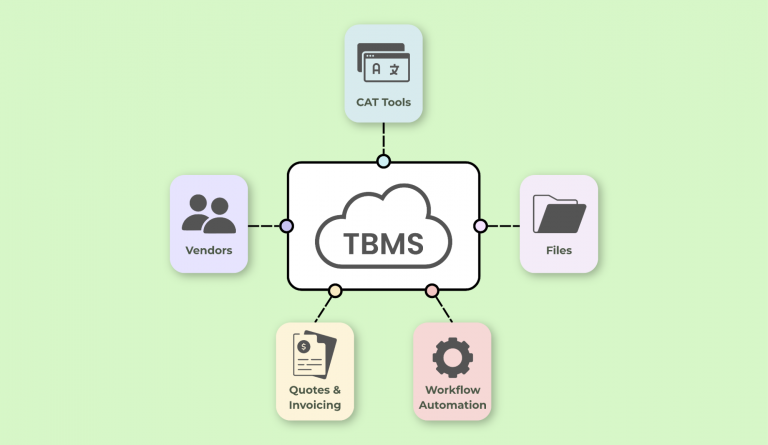
Awtomated is a cloud native Translation Business Management System (TBMS) that centralizes operations for LSPs while respecting every client-mandated tool. It does not replace Phrase or memoQ - it sits above them as your central hub for business data.
Defining a "Client TMS Workflow" for Translation Teams
A client TMS workflow is the end-to-end sequence your team follows when work originates, is executed, and is delivered inside a client's TMS - whether that is Phrase, memoQ, Plunet, ERP plug-ins, or custom portals. The core TMS workflow includes order intake, planning, and carrier selection - or in translation terms: request intake, resource planning, and vendor assignment.
A typical 2026 enterprise client workflow looks like this:
- Request raised in Phrase or memoQ, often triggered by a CMS connector or content push
- Auto-notifications sent to assigned vendors
- Translation executed in the client's in-context editor
- Client-side QA checks run against their QA profile
- Approved content delivered back into their product, CMS, or ERP systems automatically
A client TMS connects order management, inventory management, and transportation functionality - and in translation, it similarly connects content requests, translation memory assets, and delivery pipelines. A TMS centralizes communication and automates key tasks. A client TMS workflow automates steps to manage operations end-to-end.
But none of this covers quoting, vendor cost tracking, margin analysis, or cross-client reporting. That is why LSPs need a parallel internal workflow in Awtomated for change management, finance, and governance. The client's project manager or localization lead works inside their TMS; your project manager orchestrates resources, profitability, and vendor performance across all clients from Awtomated's project management layer.
Choosing Your "Source of Truth": Awtomated First, Client TMS Second
Without a clear source of truth, teams check Phrase for one client, memoQ for another, and Plunet or email for the rest. Tasks slip through cracks. Data integrity in TMS is critical for accurate rate calculations and routing - whether you are managing truckload shipments in logistics or translation jobs across multiple languages.
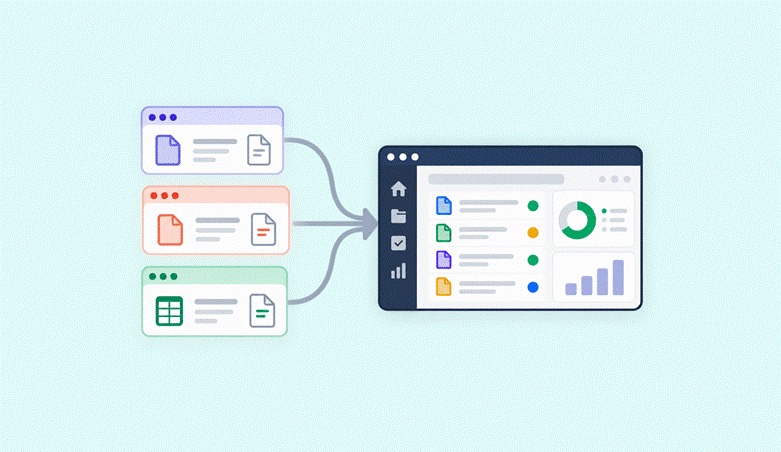
The recommended operating model: Awtomated is always the internal system of record for projects, jobs, vendors, and finance, even when the execution layer lives in an external TMS. A TMS centralizes critical data for improved visibility, and that is exactly the role Awtomated plays.
What should be mirrored from client TMS into Awtomated:
- Project ID and external reference links
- Language pairs and word counts
- Deadline and priority level
- PO numbers and agreed rates
- Vendor assignments and status updates
A cloud-based TMS connects quoting, booking, and tracking workflows - and Awtomated does this for translation by pulling data from Phrase, memoQ, Smartcat, XTRF, and custom client portals via API, email parsing, or manual imports. A TMS helps coordinate all aspects of movement through a supply chain - and Awtomated coordinates all aspects of translation work across client systems. This approach mirrors how freight forwarders aggregate carrier data into a single transportation management software platform for clean data and real time visibility.
Standardizing Intake When Every Client Uses a Different TMS
Intake chaos is the root cause of downstream problems: wrong files, unclear scope, no budget approvals, and unbilled work. Implementing a TMS requires mapping existing processes and defining business rules before any automation happens. Successful TMS implementations require documented workflows and requirements - and that starts at intake.
Inside Awtomated, every new client TMS job triggers a standard intake checklist:
- Client name and account
- External TMS type (Phrase, memoQ, Plunet, ERP plug-in, custom portal)
- Request channel (API notification, email, manual upload)
- Deadline, volume, domain, and risk level (regulatory, legal, product safety)
- PO number and agreed rate, captured from the client's order management system
Order management includes automated ingestion of orders from systems via API or EDI. When Phrase sends a webhook on job creation, Awtomated can parse it and pre-fill the intake record. For memoQ, email parsing of assignment notifications captures project metadata. For Plunet, CSV exports can be bulk-imported.
A client TMS can store customer-specific rules for different requirements - but only for that single client. Awtomated stores rules across all clients: tagging projects by "Client TMS" type so workload and profitability can later be analyzed by technology. For example, for a June 2026 product release in Phrase involving 14 language pairs, the PM tags the project as "Phrase / Product / High Priority" in Awtomated, capturing the integration scope and operational requirements in seconds.
Organizing Files, Glossaries, and Reference Assets Across Systems
Client TMS platforms hold source files, translation memories, and term bases - but LSPs still need internal structure for consistency, compliance, and risk management. Transport Management Systems are important for compliance and visibility in logistics, and the same principle applies here: you need visibility into what assets exist where.
What lives primarily in the client's TMS:
- Phrase term bases and project-level TMs
- memoQ translation memories and LiveDocs corpora
- In-product context screenshots and style references inside their system
What gets cataloged in Awtomated:
- URLs and links to relevant Phrase projects, memoQ online projects, Plunet jobs, and client SharePoint or Google Drive folders
- Version notes (e.g. "Client updated glossary v3.2 on 2026-06-10")
- NDA-sensitive asset records and usage guidance
- Tags for product line, market, regulatory sensitivity, and client-specific style guides
Visibility tools in TMS provide transparency for shipments across the supply chain - and similarly, reference governance in Awtomated gives PMs instant access to the right assets when switching between systems, reducing errors from using outdated glossaries or wrong TM versions.
Breaking Down External TMS Work into Internal Tasks and Vendors
A single "job" in Phrase or memoQ often represents multiple internal tasks: translation, review, layout, terminology update, and engineering. If your TBMS does not decompose these, you lose visibility into cost, vendor utilization, and margin.
In Awtomated, a project manager maps external workflow steps to internal tasks:
- Phrase Translation step → internal translation task with assigned linguist and buy rate
- Phrase Revision step → internal review task with a separate reviewer
- Plunet DTP step → internal DTP task with estimated hours and cost
- memoQ Proofreading step → internal proofing task
Carrier selection utilizes automated algorithms to find cost effective and reliable options in logistics - and vendor selection in translation follows a similar pattern. Awtomated's vendor management stores preferred linguists, rates per language pair and domain, and maps those vendors to specific client TMS accounts where needed.
A TMS automates routing, carrier selection, and load tendering - and Awtomated automates vendor assignment based on availability, rates, and past performance. A TMS automates routing, carrier selection, and freight tracking across the shipment lifecycle. AI can automate tasks like load posting and rate quoting, and similarly, Awtomated can pre-populate vendor suggestions based on historical data.
Analytics measures KPIs like on time delivery rates and carrier performance scorecards. In Awtomated, vendor performance tracking captures on-time delivery, quality scores, and responsiveness - recorded internally even though the actual work happened in a client TMS, just as logistics providers monitor carrier performance outside shippers' portals.
Keeping Deadlines and Communication Under Control

Client tools generate notifications - Phrase emails, memoQ alerts, Plunet reminders - but when a PM manages dozens of clients, those notifications become noise. Real time tracking enhances customer communication by addressing delays proactively, but only if you have one consolidated view.
Use Awtomated's project and task views as the master schedule:
- All deadlines from external TMS registered centrally, with reminders and escalation paths
- Color-coding or tagging for high-risk jobs: hard launch dates, regulatory submissions, time-sensitive product releases
- Slack or Teams notifications triggered when Awtomated status changes, keeping the team informed without checking every portal
Proactive exception handling reduces operational delays and enhances service levels. Exception management identifies and handles issues during the shipping process - and in translation, that means flagging late vendor deliveries, client review bottlenecks, or scope changes before they cascade. Real time tracking reduces manual check calls for better visibility, and in-transit visibility tracks shipments using GPS and telematics for real time updates - the translation equivalent is live project dashboards replacing status-check emails.
For proactive communication, keep all internal and vendor communication in Awtomated or email integrated with it, using the client TMS only for client-facing comments. This discipline mirrors change management in other industries: one internal system owns timelines even when external portals are used by customers and partners.
Managing Finance, POs, and Profitability When Clients Control the TMS
Financial chaos - missing POs, misaligned rates, unbilled work - is the biggest risk when relying solely on client TMS records. Integrating a client TMS can streamline invoicing and financial management processes, but only when your TBMS captures the full financial picture.
How to keep finance clean:
- Capture agreed sell rates and PO numbers from client systems (Plunet, SAP, memoQ-based agreements) into Awtomated's finance module
- Track buy and sell rates separately: vendor payments based on internal tasks, client invoices based on client TMS-approved volumes
- A client TMS workflow can improve profitability tracking across operations when paired with real-time margin visibility in Awtomated
- Freight audit compares invoices against contracted rates to identify discrepancies - and Awtomated does the same for translation: flagging when delivered word counts differ from quoted volumes
Automated load building optimizes shipments based on contract rates and rules. In translation, automated quoting in Awtomated applies rate management rules - TM leverage, complexity, rush fees - to generate accurate quotes and monitor cost in real time. Tai TMS integrates quoting, booking, tracking, and invoicing into one workflow, and Awtomated mirrors this by connecting quoting, invoicing, and vendor payouts in one platform.
A concrete example: a mid market LSP in 2026 runs multi-currency billing in EUR and USD for a global enterprise client whose translation jobs live entirely in Phrase but whose POs come from SAP. Awtomated captures both currencies, reconciles volumes, and feeds approved invoices to Xero - eliminating manual data entry and reducing freight costs (or in this case, hidden operational overhead). Tai TMS reduces manual work and protects margins through automation, and that is exactly what centralized finance tracking achieves.
Integrating Awtomated with Phrase, memoQ, Plunet and ERP Systems
Not every client TMS will be integrated on day one. A mix of automation and disciplined manual processes is normal in 2026 - the real test is knowing where to invest first.
Integration options by platform:
- Phrase: API-based project sync, webhooks firing on job creation and completion to Awtomated, or email parsing of Phrase notifications as a lightweight alternative
- memoQ: Connector tools like BeLazy for project metadata and status sync; periodic CSV exports where APIs are restricted by client security teams
- Plunet or XTRF: Scheduled imports of jobs and financial data via Plunet's dynamic CAT interfaces, mapping client job IDs to Awtomated project IDs
Over 70% of users prioritize interoperable, standardized APIs in TMS platforms. Where client TMS integrates with systems like ERP and WMS for seamless data flow, Awtomated can tap into the same data via accounting or ERP APIs - even if translation tasks remain in the client's system. AI agents can confirm driver locations and ETAs automatically in logistics; similarly, automation use cases for LSPs include auto-status updates from client TMS into Awtomated.
A well-designed TMS can automate 80% of freight decisions. In translation, the goal is similar: automate key tasks like intake capture, deadline sync, and financial reconciliation while leaving nuanced decisions (vendor selection for specialized content, quality escalations) to your project manager. A phased TMS build can go live in weeks - start with high-volume clients, sync basic metadata, and extend deeper as trust and technical access grow.
Maintaining Quality and Operational Excellence Across Client TMS Environments
Relying on client QA settings alone - memoQ checks, Phrase QA profiles - makes cross-client quality reporting impossible. You need Awtomated to hold a normalized view.
Record LQA scores, error categories, and revision effort in Awtomated regardless of whether the review happened in Phrase, memoQ, or offline files. Analytics and performance metrics guide continuous improvement in logistics operations, and the same applies in translation: use Awtomated dashboards to compare quality and turnaround by client, by TMS platform, by language pair, and by vendor.
Automation in TMS reduces administrative overhead and human error, and 96% of shippers use generative AI in operations for visibility enhancements. AI can predict delays but cannot fix bad source data - which is why clean data in your TBMS matters more than any AI layer on top. Service reliability depends on consistent processes, not heroic one-off fixes.
Change management essentials:
- Standard SOPs for PMs working inside each client TMS
- Regular training on new tool versions and workflow changes
- Periodic audits of random jobs (e.g. sampling 5% of Q1–Q4 2025 deliveries) to ensure internal workflow steps were followed
- Tracking trendlines across quarters for long term success in customer satisfaction and on time performance
Scaling Multi-Client TMS Work with Awtomated as You Grow
A small LSP might start with 2–3 client TMS environments in 2024 and reach 10+ by 2026 as they win more global enterprises. At that scale, manual work becomes the bottleneck. A modern TMS centralizes load planning, routing, and carrier communication - and Awtomated centralizes project orchestration, vendor coordination, and financial governance across every client portal.
Awtomated's cloud native architecture supports scaling: adding PMs, vendor coordinators, and finance roles without losing the central view. TMS helps consolidate multiple shipments into more cost effective loads - and Awtomated consolidates multiple client TMS data streams into one operational layer. Whether you are a vice president of operations or a solo project manager, the view adapts to your role.
Organizational patterns that work:
- Assign internal "tool owners" for major client TMS (one PM is your Phrase champion, another covers memoQ and Plunet), while Awtomated remains the shared operating layer
- 96% of logistics providers use generative AI in their TMS operations and 96% of logistics providers use generative AI in their operations - translation agencies are following suit, using AI for document processing, MT post-editing, and automated quality checks within Awtomated
- Training for stakeholders focuses on role-specific workflows within TMS - train each PM on Awtomated first, then layer on client-specific tools
- Early engagement of stakeholders eases TMS transitions, and strong project management ensures accountability across teams
- Mid market agencies use Awtomated to keep overhead low; larger LSPs embed it into broader ERP systems and BI tools
Start by documenting your current client TMS landscape. Sketch how Awtomated could sit in the center. That exercise alone will reveal where you are losing margin, duplicating effort, or flying blind - before you change any tooling.
FAQ: Working Inside Client TMS While Using Awtomated
These FAQs cover adjacent topics not fully detailed above, focusing on practical decisions LSPs face when balancing client-mandated TMS with their internal TBMS.
How do I decide which client TMS environments to integrate with Awtomated first?
Prioritize by volume, revenue, and operational risk. Start with the 2–3 clients generating 60–70% of your portal-based revenue or those with the most complex Phrase, memoQ, or Plunet workflows. Early integrations typically sync basic project metadata, deadlines, and financial data before expanding to status updates and vendor assignment automation. Low-volume or unstable clients can remain on disciplined manual processes inside Awtomated until they justify the integration investment - this keeps your TMS implementation focused and cost effective.
What if a client's security policy blocks API integration with their TMS?
Use fallback options: email parsing of system notifications, periodic CSV exports, and manual entry of key fields into Awtomated for high-value jobs. Awtomated's value does not depend on full API integration - it can still act as the internal hub for tasks, vendors, and finance even when only partial data is synced. Revisit integration discussions annually, as client IT teams often loosen restrictions over time, especially when you can demonstrate clean data handling and reduce errors on your side.
Can I still track vendor performance if linguists work only inside client tools like Phrase and memoQ?
Yes. PMs log delivery times, quality scores, and rework per vendor in Awtomated after each job using structured rating fields or LQA data. Over a few quarters, this creates a robust performance history independent of the client TMS, informing future vendor selection and rate negotiations. This mirrors how freight brokers and asset based carriers track carrier performance outside shippers' portals and load boards - the tracking system is yours, even when the execution environment is not.
How do I train new project managers to handle multiple client TMS without burning out?
Follow a structured onboarding path: teach Awtomated as the core TBMS first, then add client TMS tools one by one using checklists and SOPs for each environment. Pair new PMs with internal "tool champions" and use Awtomated dashboards so managers can monitor workload and spot early signs of overload. Clear boundaries matter: all internal coordination, finance, and vendor management live in Awtomated, while client TMS environments are used mainly for execution and client-facing communication. Consider hiring a dedicated project manager when workload across client portals consistently exceeds what your current team can handle.
When does it make sense to push back on a client's request to use their TMS?
If a client's TMS is unstable, lacks basic workflow controls, or conflicts with regulatory requirements such as data residency rules, LSPs should propose alternatives. Use Awtomated-generated reports to show the operational and cost impact of highly fragmented workflows - supporting a constructive discussion with the client rather than outright refusal. For strategic enterprise accounts, the usual pattern is negotiation: agreeing on a hybrid model where certain work types stay in the client TMS and others run directly through Awtomated, keeping transit time and turnaround efficient for both parties.

Building software that helps small and medium-sized language service providers run their business.
About Rishi →Table of Contents
- Why Client-Mandated TMS Work Is So Chaotic for LSPs
- Defining a "Client TMS Workflow" for Translation Teams
- Choosing Your "Source of Truth": Awtomated First, Client TMS Second
- Standardizing Intake When Every Client Uses a Different TMS
- Organizing Files, Glossaries, and Reference Assets Across Systems
- Breaking Down External TMS Work into Internal Tasks and Vendors
- Keeping Deadlines and Communication Under Control
- Managing Finance, POs, and Profitability When Clients Control the TMS
- Integrating Awtomated with Phrase, memoQ, Plunet and ERP Systems
- Maintaining Quality and Operational Excellence Across Client TMS Environments
- Scaling Multi-Client TMS Work with Awtomated as You Grow
- FAQ: Working Inside Client TMS While Using Awtomated